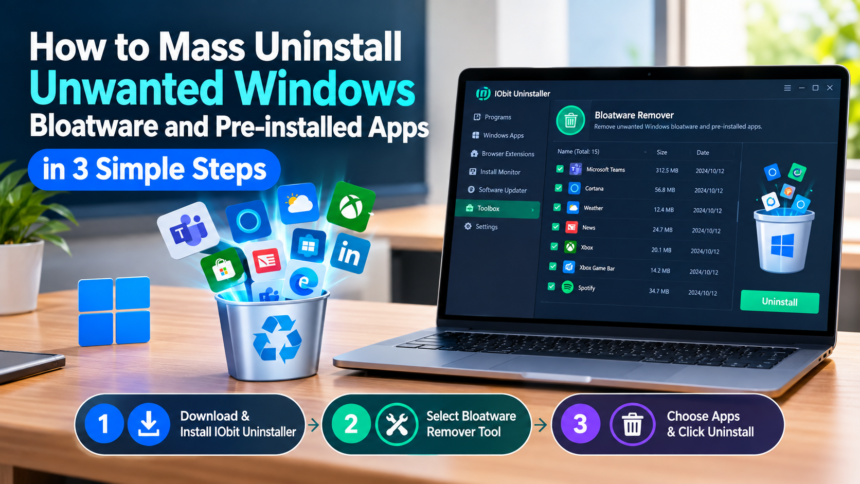
Bloatware refers to software that comes pre-loaded on Windows, most of which the owner did not request. These pre-installed apps can take up valuable storage space, run unnecessary background processes, and make it harder to find the programs you actually need. Removing them one by one can also be a time-consuming process, especially when dealing with multiple unwanted applications. Fortunately, tools such as IObit Uninstaller can make the process much easier by allowing users to identify and remove unwanted Windows apps in batches. In this guide, we’ll explore how to mass uninstall Windows bloatware and pre-installed apps in just three simple steps.
Part 1: Reasons to Remove Windows Bloatware and Pre-Installed Apps
A Windows PC comes with a surprising number of apps. Some of these are absolutely essential, like Photos, File Explorer, and Media Player. However, many other pre-installed applications may not be useful for every user. Here are the top reasons to remove Windows Bloatware:
- Free Up Storage Space: Removing Windows Bloatware and Pre-Installed apps is one of the best ways to free up valuable storage space on your computer.
- Reduce System Clutter: As we all know, eliminating unnecessary applications creates a cleaner and more organized Windows environment.
- Improve System Performance: Some unwanted apps may run background processes and consume system resources. Removing unnecessary software can help reduce this activity.
- Easier App Management: Removing programs you do not need makes it easier to find and manage the applications you actually use.
Part 2: Introduction to IObit Uninstaller
IObit Uninstaller is an all-in-one software removal tool designed to help users uninstall unwanted applications from their Windows PCs. Unlike the standard Windows uninstallation process, it provides additional features for removing stubborn programs, browser extensions, Windows apps, and other unnecessary software. One of the best parts of this tool is that it enables users to remove Windows bloatware and pre-installed apps, including Microsoft Teams, Cortana, News, Weather, Xbox, Xbox Game Bar, and more. Users can select multiple programs at once and remove them together, making it much faster than uninstalling each application individually.
| 🔗 You may also like: |
| Buy or build AI agents companies |
| Workforce management system cloud technology |
Part 3: Key Features of IObit Uninstaller for Removing Windows Bloatware
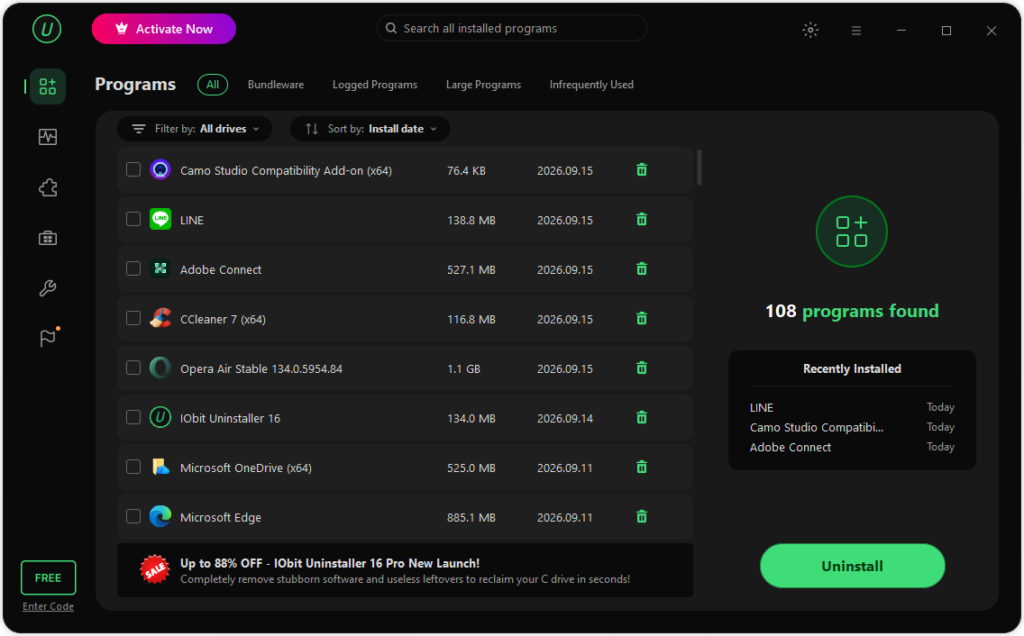
As a specialized uninstaller for Windows, IObit Uninstaller offers several useful features that make it easier to identify and remove unwanted applications from Windows. Beyond simple app deletion, it provides targeted tools to maintain a lean system::
- Bloatware Removal: One of the standout features of IObit Uninstaller is that it helps users identify and remove unnecessary bloatware and pre-installed applications from Windows, including Microsoft Teams, Weather, News, Cortana, Xbox Game Bar, and more.
- Batch Uninstallation: With the help of this tool, users can remove multiple Windows pre-installed apps with a single click, making the uninstallation process less time-consuming compared to the traditional method. Users can select multiple unwanted programs at once and start the removal process together.
- Completely Remove Unwanted Programs: IObit Uninstaller removes unwanted apps and programs from Windows 11 completely. After the uninstallation process is completed, it automatically scans your device and removes leftover files, such as registry entries, folders, temporary files, and more.
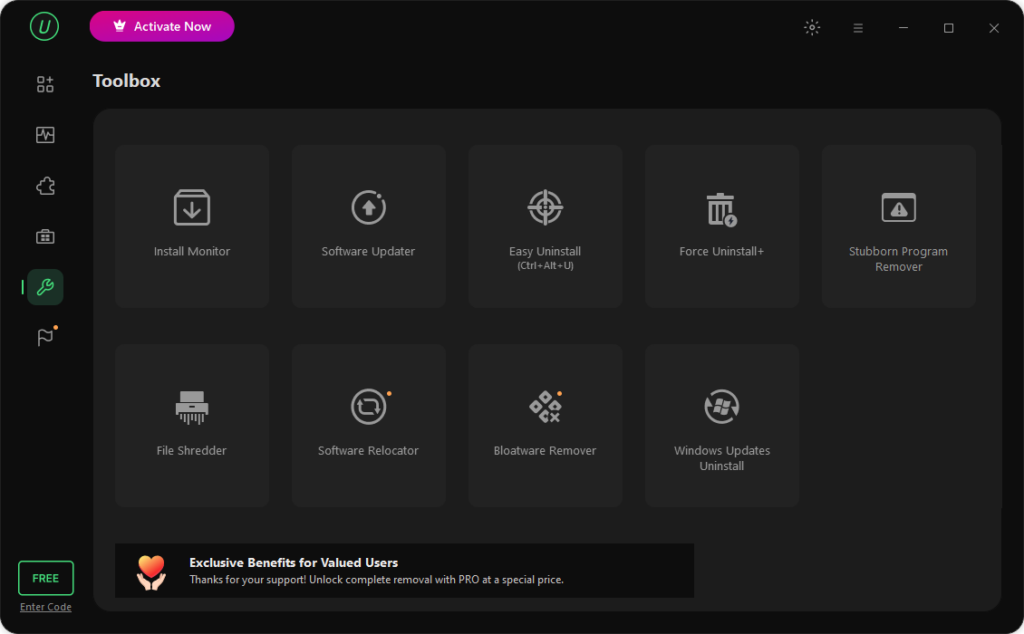
- Powerful Toolbox: The program isn’t limited to software uninstallation. It also comes with amazing tools, each with unique features and capabilities, such as Install Monitor, Software Updater, Easy Uninstall, Force Uninstall+, File Shredder, Software Relocator, Bloatware Remover, and Windows Updates Uninstall.
- Intuitive Interface: IObit Uninstaller offers an intuitive and easy-to-use interface, allowing users to remove Windows bloatware and pre-installed apps without professional help or tech knowledge. Simply select the Windows program and click on the “Uninstall” button.
Part 4: How to Mass Uninstall Unwanted Windows Bloatware in 3 Simple Steps
Removing unwanted Windows bloatware using the traditional method can be time-consuming. However, IObit Uninstaller can complete the process with three simple steps. Here is how to do it:
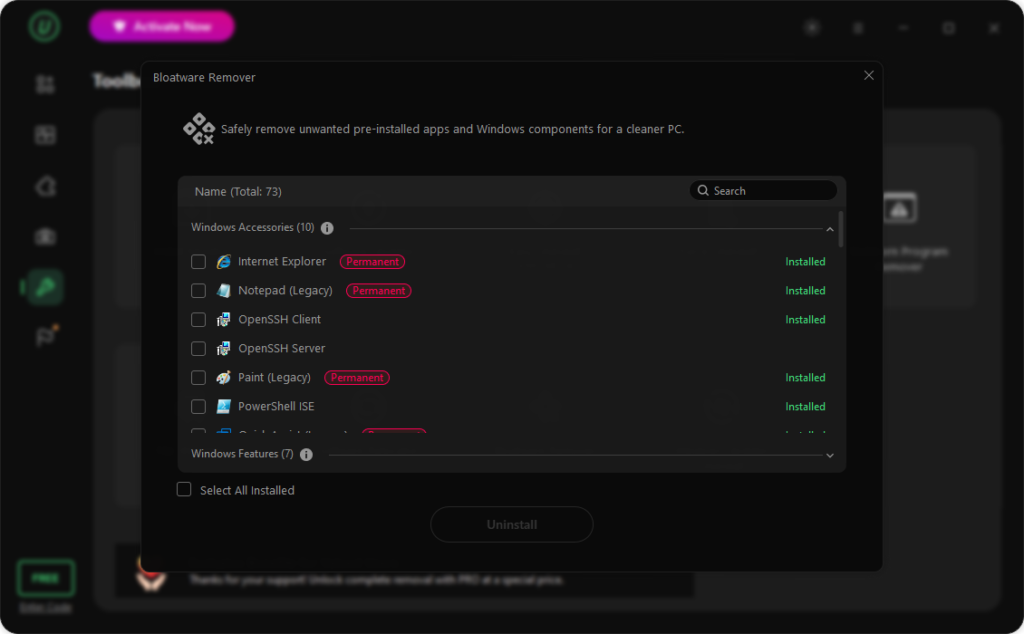
- Download, install, and launch IObit Uninstaller on Windows 11. Choose the “Toolbox” option from the left panel and select the “Bloatware Remover” tool. The program also offers multiple tools, such as Force Uninstall+ and Stubborn Program Remover.
-

Mass Uninstall Windows Bloatware
- After selecting “Bloatware Remover,” the program will display all pre-installed applications on your device. Review the list and select the apps you no longer need. Once you have selected the unwanted programs, click the “Uninstall” button.
-
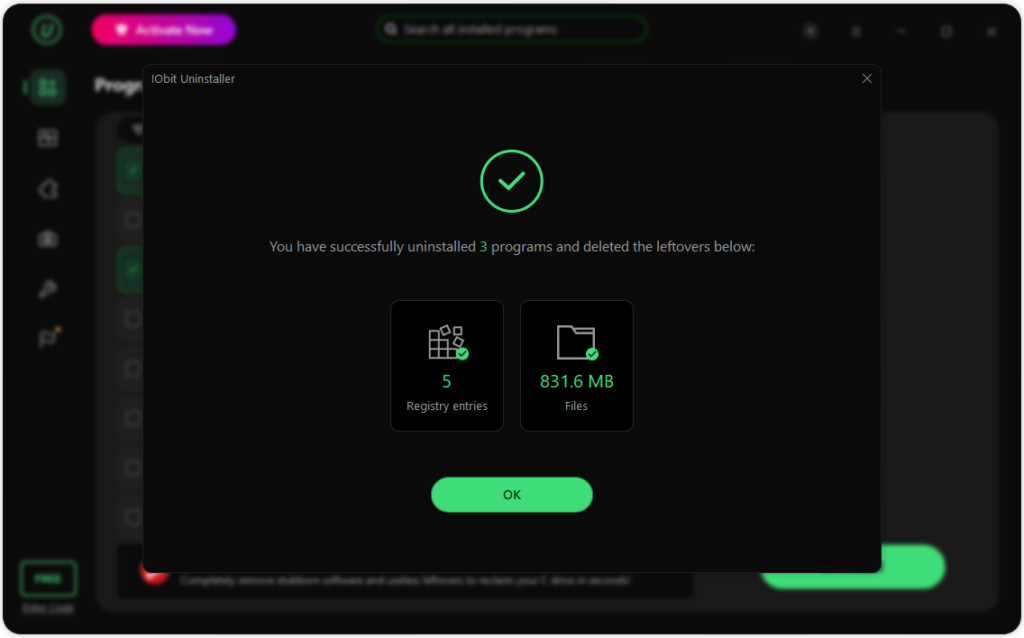
Mass Uninstall Windows Bloatware - IObit Uninstaller will begin the removal process and, within seconds, remove Windows bloatware or pre-installed apps from your device.
-
Mass Uninstall Windows Bloatware
Final Thoughts
As we all know, removing unnecessary Windows bloatware and pre-installed apps can help create a cleaner and more organized PC. However, uninstalling multiple applications manually can be time-consuming. IObit Uninstaller makes the process easier by allowing users to identify and remove multiple unwanted programs at once. If you want a quick and convenient way to manage unwanted applications on Windows 11, IObit Uninstaller is worth considering.
| 🔗 You may also like: |
| How to maintain a Windows PC and remove unwanted software |
| Improve PC gaming performance |