If you have been told to sign in to Schoology Alfa, you have probably been told two different stories about it. Some guides call it a revolutionary new learning system. Others call it a school portal. However, only one of those is true — and knowing which one saves you from the fake login pages, the wrong portal and the wasted afternoon.
This guide gives you the checked picture: what Schoology Alfa actually is, the school behind it, how students sign in, what they can do inside, and what nobody can verify. For example, if you are a student, teacher or parent at the school that uses it, you will know exactly where to go. If you are not, you will know why you cannot sign up.
| 🔗 You may also like: |
|---|
| What Is Plangud? Real Meaning, Timber Uses and Planning Truth |
| RN Fundamentals 2016 70 Questions: Guide, Topics and Study Plan |
Schoology Alfa at a Glance
| Fact | Detail |
|---|---|
| What it is | Alfa Fundación’s Schoology learning environment — a school portal, not a separate app |
| Institution | Alfa Fundación, Monterrey, Nuevo León, Mexico |
| Platform | Schoology, owned by PowerSchool |
| Login address | alfafundacion.schoology.com |
| Sign-in method | School-approved Microsoft account (single sign-on) |
| Account type | Institution-provisioned only — no public sign-up |
| Mobile access | Official Schoology app; no separate Alfa app |
| Common confusion | “Alpha School” in the US is a different school with its own portal |
The Short Answer: What Is Schoology Alfa?
Schoology Alfa is the Schoology learning environment used by Alfa Fundación, an education foundation in Monterrey, Mexico. Schoology itself is a learning management system owned by PowerSchool; Alfa Fundación provides the students, the courses and the institutional access. Students sign in through alfafundacion.schoology.com with a school-approved Microsoft account, then access only the courses, assignments, grades and messages their own teachers have enabled for them.
In short, that is the whole of it. The name appears in several forms online — “Alfa Schoology” and “Schoology Alfa Fundación” point to the same environment, and “Home Schoology Alfa” is simply the dashboard a student sees after signing in. There is no separate Schoology Alfa app, no public registration and no version of the platform you can buy for yourself.
The distinction matters because the search results are full of guides that describe Schoology Alfa as an upgraded, modernised or revolutionary learning system. That is dressing up a school portal as a product launch. Therefore, students should think of it as their school’s Schoology environment — nothing more, and nothing less.
The Truth First: Not a New Product
The most careful guide to Schoology Alfa — the one that separates confirmed facts from guesswork — is blunt about this: Schoology Alfa is not a separate product. It is an institution-specific Schoology environment connected with Alfa Fundación. In fact, Schoology, owned by PowerSchool, is the underlying platform. Alfa Fundación provides the students, the courses and the institutional access.
Why do so many guides say otherwise? Because “Schoology Alfa” sounds like a product name, and product launches are easier to write about than school portals. The result is a set of guides that describe a complete learning management system with enhanced usability, smarter integrations and a more intuitive interface — claims that are really descriptions of Schoology itself, not of anything Alfa-specific. In fact, the features those guides list — assignments, grading, messaging, attendance, collaboration — are standard Schoology features, available to every school that uses the platform.
That does not make Schoology Alfa unimportant. In fact, for the students and teachers of Alfa Fundación, it is where school happens: the courses, the homework, the grades, the announcements. But the honest description is a school portal, and any article that presents it as a new system launching in 2026 is guessing. The exact date Alfa Fundación began using Schoology is not publicly verified, and any article that presents a program milestone as a Schoology launch date is doing the same.
Alfa Fundación: The School Behind the Portal
Alfa Fundación is an educational foundation in Monterrey, Nuevo León, Mexico. That is the institution behind the name, and it is the reason the portal exists: a foundation running schools needs one place where its students and teachers meet their courses, and Schoology is the platform it uses.
What the foundation teaches, and how many students it serves, is not something the public guides establish in detail. The guides focus on the portal, not the institution — and this article will not invent a history for it. However, what can be said is that the portal’s shape fits a foundation school: courses organised by teacher and class, assignments and grades in one place, announcements from the institution, and access controlled by the school rather than by the student.
One confusion deserves a clear warning, and the careful guide states it plainly. Searchers in the United States may also meet results for “Alpha School”, a different private school group with its own login portal. That portal is not Alfa Fundación’s portal. Therefore, if the page does not belong to Alfa Fundación’s Schoology address, it is not the right door — and entering credentials there would be a mistake.
How Students Sign In to Schoology Alfa
Signing in is straightforward, provided you start at the right address. Use the institutional address supplied by Alfa Fundación or your teacher: public references identify alfafundacion.schoology.com as the Schoology address associated with Alfa Fundación. The login experience can still depend on the institution’s current authentication setup, so your teacher’s instructions beat any guide.
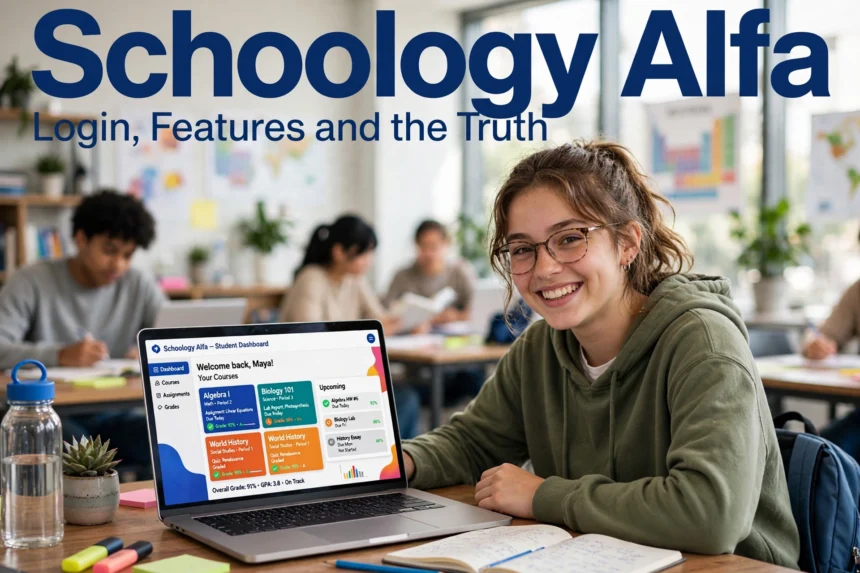
A typical sign-in follows these steps. First, open alfafundacion.schoology.com in your browser. Second, sign in with your school-approved Microsoft account — this is single sign-on, so the same account your school gave you opens the portal. Third, you land on your dashboard, personalised to your role: student, teacher or administrator, with your own courses, assignments and messages.
There is no public sign-up, and there is no way to create an account on your own. Accounts are provisioned by the institution, which means your school creates them and controls them. In addition, mobile access works through the official Schoology app — there is no separate Alfa app to download — and the app mirrors the desktop experience: lessons, assignments, discussions and notifications on the go.
Never enter your password on an unofficial “Schoology Alfa login” website. The real portal is the institution’s own Schoology address. If a search result offers a different login page, or asks you to register, it is not Alfa Fundación’s portal, and your school’s IT staff can confirm the correct address.
What Students Can Do Inside Schoology Alfa
Once signed in, students find the standard Schoology toolset, organised around their courses. In fact, the guides describe the same set of features, and they are worth listing — with the reminder that these are Schoology’s features as described in the guides, not features verified as Alfa-specific.
Courses and Assignments
Courses hold the materials: lesson documents, videos, links and folders organised by the teacher. In addition, assignments sit inside the course with their deadlines, and students submit their work there rather than by email. The planning is visible in one place — what is due, when, and for which class — which is the main reason a learning platform beats a pile of handouts.
Grades and Feedback
Grades and teacher feedback live in the same place as the work itself. In addition, students can see their marks, read comments on submitted assignments and track their progress across a course, rather than waiting for a report card to find out where they stand. A clear study plan built around those results is what turns marks into progress.
Messages and Discussions
Direct messages, group discussions and announcements connect students with teachers and each other. For example, teachers post announcements for a whole class, students ask questions in discussion boards, and parents — where the school enables it — can follow their child’s progress.
Mobile App
The official Schoology app carries the same dashboard to a phone: view lessons, submit assignments, join discussions and receive notifications. For example, a student can check tomorrow’s homework on the bus home, rather than waiting until they are back at a computer.
Schoology Alfa for Teachers
For teachers, the portal is a classroom management tool. They create structured courses with videos, documents, quizzes and discussion boards, organise classes into folders, post assignments and manage deadlines directly from the dashboard. Quizzes, test builders and grading rubrics sit inside the same system, so assessment and feedback happen where the teaching happens.
In addition, the guides describe analytics that give teachers insight into each student’s progress — who has submitted, who is falling behind, who needs help. Therefore, that is the feature that turns a content store into a teaching tool: the teacher can see the class, not just the material.
However, the same honesty rule applies here as everywhere in this article. These are the features the guides describe for Schoology Alfa, and they match Schoology’s standard toolset. What the guides do not establish is anything Alfa-specific about them — no custom feature, no special integration, no version number that separates this portal from any other school’s Schoology environment. A teacher reading this should expect the Schoology they know, branded for their foundation.
Schoology Alfa for Parents
Parents get a window into their child’s schoolwork, where the school enables it. In addition, the guides describe parent accessibility as part of the platform: announcements, grades and assignment deadlines visible from a parent account, and parent-teacher interaction through the same messaging tools students use.
That access depends on the school. Not every feature is switched on everywhere, and a parent’s view is limited to their own child’s courses and progress. If your school uses Schoology Alfa and you are a parent who has not been given access, the school — not the platform — is the place to ask. There is no parent registration on the public web, and no way to sign up without the institution’s invitation.
| 🔗 You may also like: |
|---|
| Syrenis Strategic Initiatives Explained: Cassie, Partnerships and the Future of Consent |
| New Laptop Status: What It Means, Best Ideas and How to Check Your New Laptop |
Schoology Alfa vs Schoology: What Is Actually Different?
The comparison is short, because the honest answer is short: almost nothing, and that is the point. It is Schoology, run by one institution. The table below states it plainly.
| Question | Schoology | Schoology Alfa |
|---|---|---|
| What it is | A learning management system by PowerSchool | Alfa Fundación’s Schoology environment |
| Who runs it | PowerSchool | Alfa Fundación, on Schoology |
| Who can sign in | Students of any school using Schoology | Only Alfa Fundación students and staff |
| Login address | Each school’s own Schoology address | alfafundacion.schoology.com |
| Features | Courses, assignments, grades, messaging | The same Schoology features, as the school enables them |
| Mobile app | Official Schoology app | The same official Schoology app |
| Public sign-up | No | No |
The guides that describe Schoology Alfa as an upgraded or modernised version of Schoology are describing a difference that the evidence does not support. However, the platform is the same; the institution, the students and the courses are Alfa Fundación’s. Moreover, that is not a criticism of the portal — a school portal does not need to be a new product to be useful. It needs to work, and for Alfa Fundación’s students it is where their schoolwork lives.
Schoology Alfa Login Problems and Fixes
Login problems are usually simple, and the guides agree on the common causes: incorrect passwords, expired credentials and temporary account locks. The fixes are simple too — but the first step is always to check that you are on the right page.
| Problem | Likely cause | What to do |
|---|---|---|
| Wrong password | Typo or an expired password | Use “Forgot Password” or ask your teacher or school IT |
| Account locked | Too many failed attempts | Wait, then reset the password — or ask IT to unlock it |
| Wrong portal | You opened a different school’s page | Go to alfafundacion.schoology.com, the Alfa address |
| No account | The school has not created one for you | Ask your teacher — there is no public registration |
| App will not load | Outdated app or a weak connection | Update the official Schoology app and retry |
As a result, most login trouble is solved in minutes. The exception is the wrong-portal problem, which no password reset can fix: if the page is not Alfa Fundación’s Schoology address, you are knocking on the wrong door. And if a page calling itself “Schoology Alfa login” asks you to register or pay, close it — the real portal never asks for either.
The Honest Problem: What We Cannot Verify
Most articles about Schoology Alfa pretend to know more than they do. This one will not. The honest problem is that there is very little public information about the portal itself, and the guides that exist were written at different times, by different sites, with no access to the foundation.
The Alfa Fundación connection, the Monterrey location and the alfafundacion.schoology.com address are the confirmed facts, stated by the most careful guide. The feature lists are consistent across guides and match Schoology’s standard toolset — treat them as reported, not confirmed for Alfa specifically. The claims that Schoology Alfa is an upgraded, modernised or revolutionary version of Schoology appear in several guides and are repeated by others without a primary source — treat them as hype. The exact date the foundation began using Schoology is not publicly verified. And the claims about data protection — encryption, FERPA and GDPR compliance — appear in one guide without a cited source; they are plausible for a school platform, but they are not verified here.
Schoology Alfa is a real school portal used by real students, and the outline above is the best public picture available. If you need a fact that decides access or safety — whether your account exists, what the correct login address is, how your data is handled — do not rely on any article, including this one. Ask your teacher or your school’s IT department, and get the answer from them. The privacy question belongs there too: a learning platform holds children’s grades and messages, so the rules about who can see what are a consent and privacy matter, and the school’s policy — not this article — governs it.
Conclusion
Schoology Alfa is not a new learning app and not an upgraded Schoology. It is Alfa Fundación’s Schoology environment in Monterrey, Mexico: a school portal where students sign in with a school-approved Microsoft account at alfafundacion.schoology.com and find their courses, assignments, grades and messages. In fact, the platform underneath is Schoology by PowerSchool, and the mobile access is the official Schoology app.
Overall, the honest summary is that the outline is clear and the details are thin. In fact, the institution, the address and the sign-in method are confirmed; the wider claims about a new or upgraded system are not. Therefore, use this guide to understand what Schoology Alfa is and where to sign in — and go to your school for any fact that decides access, accounts or safety.
FAQs
What is Schoology Alfa?
Schoology Alfa is Alfa Fundación’s Schoology learning environment in Monterrey, Mexico — a school portal, not a separate app. Schoology, owned by PowerSchool, is the underlying learning platform, and Alfa Fundación provides the students, courses and access.
How do I log in to Schoology Alfa?
Go to alfafundacion.schoology.com and sign in with your school-approved Microsoft account. There is no public sign-up; your school creates and controls your account. Mobile access is through the official Schoology app.
Can I sign up for Schoology Alfa myself?
No. Accounts are provisioned by Alfa Fundación, and there is no public registration. If you are not a student or member of staff at the foundation, you cannot create an account.
Is Schoology Alfa a new or upgraded version of Schoology?
No. Several guides describe it that way, but the evidence does not support it. Schoology Alfa is Schoology run by one institution — the same platform, the same features, with Alfa Fundación’s students, courses and login address.
What should I do if my Schoology Alfa login does not work?
First check you are on the right page — alfafundacion.schoology.com — then try the “Forgot Password” option. If your account is locked or does not exist, ask your teacher or your school’s IT department. Never enter your password on an unofficial login page.