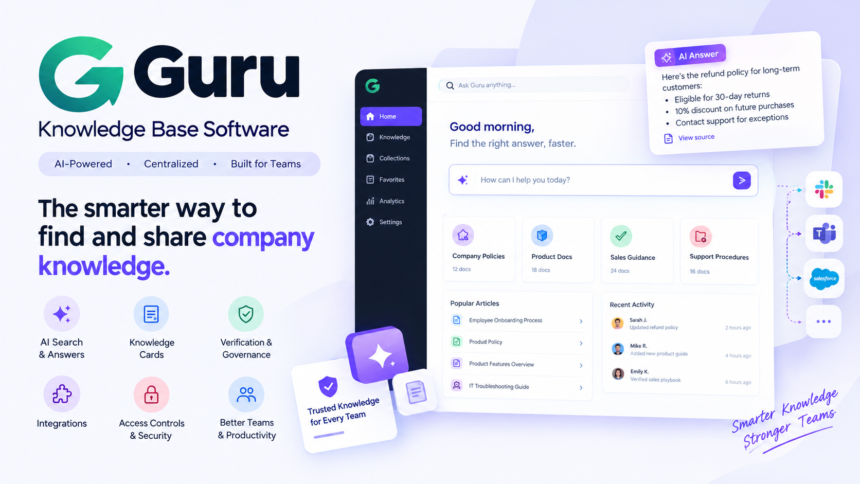
Guru knowledge base software is an AI-powered knowledge management platform that helps businesses organize company information, deliver trusted answers, and make internal knowledge easier to access. It brings together important information such as company policies, product documentation, sales guidance, support procedures, and frequently asked questions.
Unlike a traditional wiki that employees must search manually, Guru is designed to deliver relevant knowledge within the tools teams already use. Its AI capabilities, structured knowledge cards, verification workflows, and business integrations help organizations keep information organized and reduce repeated questions.
In this review, we explore how Guru works, its key features, AI tools, integrations, benefits, limitations, pricing considerations, and the types of businesses that may benefit most from using it.
What Is Guru Knowledge Base Software?
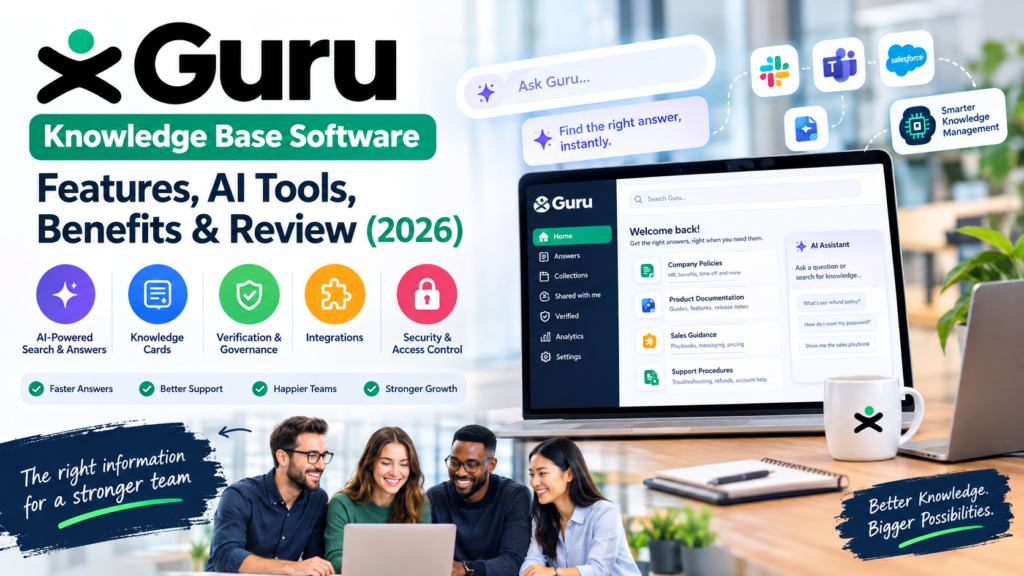
Guru is a business knowledge management platform that helps organizations create, maintain, verify, and share information across their teams. It provides a centralized way to manage important company knowledge instead of leaving employees to search through scattered documents, chat messages, and shared folders.
The platform is particularly useful for internal knowledge sharing. Human resources teams can organize employee policies, sales departments can maintain product information, and customer support teams can access approved answers to common questions.
Guru also uses artificial intelligence to help employees find relevant information through natural-language searches and AI-powered answers. Rather than relying entirely on exact keyword matches, users can ask questions in everyday language and find information related to the meaning of their query.
For example, an employee searching for an account recovery procedure may find a relevant document even if its title uses the phrase “password reset policy.” This makes company information more accessible, especially when employees do not know where a particular answer is stored.
| 🔗 You may also like: |
|---|
| Truzio Technologies Explained |
| WhatsonTech: Technology News and Digital Insights |
How Does Guru Work?
Guru combines knowledge organization, search, AI assistance, and content verification into one knowledge management workflow. Businesses create or connect relevant information, organize it into useful resources, and make that knowledge available to authorized employees.
A typical workflow involves four main steps:
-
Create knowledge: Teams document procedures, policies, answers, and best practices.
-
Organize information: Related knowledge is grouped into cards and collections so employees can find it more easily.
-
Find answers: Employees search for information or use supported integrations to access relevant knowledge in their existing workflow.
-
Verify content: Assigned owners review information and update it when policies, products, or processes change.
This approach helps turn company knowledge into a resource that employees can use during everyday work rather than a collection of documents that quickly becomes outdated.
For example, when a company updates its refund policy, the support team can revise the relevant knowledge resource and make the updated guidance available to authorized employees. This helps agents provide more consistent answers to customer questions.
Key Features of Guru Knowledge Base Software
Guru offers several features designed to help businesses organize information, improve knowledge discovery, and maintain more reliable internal documentation.
1. AI-Powered Search and Answers

One of Guru’s main strengths is helping employees find information without manually checking multiple platforms. Its AI-powered search supports natural-language questions, allowing users to describe what they need instead of remembering exact document titles or keywords.
For example, an employee might ask, “What discount can we offer a long-term customer?” Guru can help surface relevant sales guidance or company policies available to that employee.
AI-generated answers can make information easier to understand, while source references help users check the underlying information. However, employees should still verify important answers, particularly when dealing with legal requirements, financial decisions, security procedures, or changing company policies.
The usefulness of AI search depends on the quality of available information, the connected sources, and the user’s access permissions.
2. Structured Knowledge Cards
Guru organizes information using knowledge cards, which are focused resources covering individual topics, procedures, questions, or business rules.
Instead of putting every company instruction into one lengthy document, a business can create separate cards for different tasks. A customer support team, for example, might maintain individual cards for refunds, order cancellations, delivery delays, and account recovery.
This structure offers several advantages:
-
Employees can locate specific answers more quickly.
-
Content owners can update individual topics without rewriting entire manuals.
-
Related resources can be connected for additional context.
-
Teams can maintain more consistent guidance across departments.
Knowledge cards are particularly useful for frequently changing information, such as product specifications, sales messaging, and customer service procedures.
3. Content Verification and Knowledge Governance
A knowledge base becomes less useful when employees cannot determine whether its information is current. Guru addresses this challenge through knowledge verification workflows that help assign responsibility for reviewing content.
Depending on the configured workflow, knowledge owners can be prompted to confirm that information remains accurate or make necessary corrections. Verification processes help teams identify content that requires attention rather than allowing outdated instructions to remain unnoticed.
For example, a human resources manager might review employee leave policies whenever company rules change. A support manager might check troubleshooting instructions after a software update.
This governance approach is valuable for organizations that need consistent procedures and clear responsibility for internal documentation.
However, verification reminders do not automatically guarantee accuracy. Businesses still need knowledgeable reviewers, appropriate review schedules, and a process for handling urgent changes.
| 🔗 You may also like: |
|---|
| Software Discovery Is Broken |
| QuikConsole.com Explained |
4. Knowledge Agents and AI Assistance
Guru’s AI capabilities extend beyond traditional document search. Its knowledge agents can help teams access relevant information and address questions within supported workflows.
Organizations can configure knowledge experiences around specific needs, such as human resources, customer support, sales enablement, or internal IT assistance. This can make information more relevant to particular departments and reduce the need to search through unrelated resources.
Consider a sales representative preparing for a customer meeting. Rather than looking through several folders for product information and approved messaging, the representative can use available Guru resources to locate the material needed for the conversation.
The practical value depends on the available content, configuration, permissions, and the specific AI capabilities included in the organization’s plan.
5. Integrations With Workplace Applications

Employees often work across several applications throughout the day. A knowledge platform becomes more useful when it can deliver relevant information without forcing users to leave their normal workflow.
Guru supports integrations with workplace tools, including Slack, Microsoft Teams, Salesforce, and other business applications, depending on the integration and plan.
These connections can help teams access information where they communicate, manage customer relationships, or handle support requests.
For example, a customer support agent working in a connected support workflow may need to consult a return policy before responding to a ticket. Easy access to the relevant knowledge resource can reduce the need to search manually or ask a colleague.
Before choosing Guru, businesses should confirm that the integrations they need are supported and determine how authentication, permissions, and data synchronization will work in their environment.
6. Access Controls and Information Security
Internal knowledge bases can contain sensitive business information, including employee policies, sales strategies, customer-related material, and operational procedures. Access control is therefore an important consideration.
Guru’s permission-aware approach is designed to help users access information according to their authorized roles and permissions. This is particularly important when different departments need different levels of access.
For example, a general employee may be allowed to view standard onboarding instructions but should not automatically gain access to restricted finance or human resources information.
Businesses evaluating the platform should review its current security documentation, identity management options, administrative controls, and compliance commitments. They should also test permission behavior across connected applications rather than assuming that every integration has identical controls.
Benefits of Using Guru Knowledge Base Software
The benefits of Guru depend on how well a business organizes its information and incorporates the platform into daily operations. For teams with recurring questions and scattered documentation, several advantages may be especially valuable.
Faster Access to Company Information
Employees frequently spend time searching emails, chat histories, shared drives, and internal documents for answers. Guru provides a more structured way to access relevant information.
A new employee, for instance, may need to learn how to submit expenses or request technical assistance. With a properly maintained knowledge base, that employee can find approved instructions independently instead of waiting for a colleague to respond.
The actual time saved will vary according to the organization’s existing processes, information quality, and employee adoption.
More Consistent Customer Support
Customer support teams need accurate and consistent answers to questions about refunds, billing, delivery, product features, and troubleshooting.
A shared knowledge base helps agents follow approved procedures rather than relying solely on memory or individual notes. It can also make training easier because new employees have a common reference for learning standard responses.
This can improve consistency across a support team, although outcomes still depend on the quality of the documented guidance and how well agents use it.
Easier Employee Onboarding
New hires often need the same information about company policies, software, communication channels, and job responsibilities.
Guru can organize this information into accessible resources so employees have a clearer starting point. Managers can direct new team members to relevant knowledge instead of repeating the same explanations during every onboarding session.
For growing organizations, this can help preserve institutional knowledge as teams expand or experienced employees leave.
Reduced Knowledge Silos
When information is spread across departments, employees may not know which source contains the latest instructions. Different teams can also develop conflicting versions of the same process.
A structured knowledge management system helps organizations establish clearer ownership and provide a common reference for important information.
Guru’s verification and organization features can support this goal, particularly when teams agree on which resources are authoritative and who is responsible for maintaining them.
Better Support for Growing Teams
As businesses grow, informal knowledge sharing becomes harder to manage. A process that works when five employees sit together may become inefficient when several departments operate across locations and time zones.
Guru provides a framework for documenting processes and distributing knowledge across a larger workforce. The platform can be especially useful for sales, support, HR, and operations teams that repeatedly need the same information.
However, software alone cannot create a strong knowledge-sharing culture. Managers must encourage documentation, assign content owners, and make maintaining knowledge part of normal work.
Guru Pricing: What Should Businesses Expect in 2026?
Guru’s pricing is an important consideration because the cost of an internal knowledge platform can increase with the number of employees who need access.
Pricing information provided in third-party descriptions has cited a self-serve rate of approximately $25 per seat per month, sometimes with a minimum of 10 seats. Under that example, the starting subscription would be $250 per month before any applicable taxes or additional charges.
This should be treated as an indicative figure, not a confirmed current quotation. Guru’s available plans, minimum commitments, AI allowances, and enterprise pricing may change, so businesses should verify the latest terms directly with the provider.
Here is a simple illustration of the potential cost at that example rate:
| Paid seats | Illustrative monthly cost |
|---|---|
| 10 | $250 |
| 25 | $625 |
| 50 | $1,250 |
| 100 | $2,500 |
Illustration based on $25 per seat per month, not a verified current price. Actual pricing and seat requirements may differ.
When evaluating a proposal, consider more than the subscription price. Check whether the package includes the required AI tools, integrations, administrative controls, support, and implementation assistance.
Also determine which employees need paid access. If a company wants to provide unrestricted public documentation to thousands of customers, a per-seat internal knowledge platform may not be the most economical option.
The best approach is to request a current quote based on your team size, intended use, and integration requirements.
Limitations of Guru Knowledge Base Software
Guru can be valuable for internal knowledge management, but it is not the perfect solution for every organization.
Maintaining Content Requires Ongoing Work
AI search cannot reliably retrieve information that has never been documented or connected to the system. If important company policies are missing, outdated, or contradictory, the platform may not provide the answer employees expect.
Businesses need a clear process for creating knowledge, assigning owners, reviewing content, and removing obsolete instructions.
Costs Can Increase With Team Size
Seat-based pricing can become expensive as more employees need access. Organizations should calculate the expected cost at their actual user count rather than judging affordability from a starting price alone.
A business with a small support team may find the investment reasonable, while a company that wants to give hundreds of occasional users access may need to compare other pricing models.
A Public Help Center May Require a Different Tool
Guru is primarily known for internal knowledge sharing and helping employees access trusted company information. Organizations looking for a fully public, customer-facing help center should carefully evaluate whether its publishing and customer self-service capabilities meet their needs.
A dedicated help center may be more suitable if the main goal is to publish searchable public articles, provide customer-facing documentation, and help visitors resolve problems without contacting support.
AI Answers Still Need Human Oversight
AI-generated answers can be incomplete or misleading when the underlying documentation is outdated, ambiguous, or missing important context.
For this reason, businesses should establish review procedures for sensitive topics. Employees should also be able to inspect source material and escalate questions when an answer is unclear or conflicts with official guidance.
Guru vs. Traditional Knowledge Base Software
Traditional knowledge base software generally stores information in articles, folders, categories, or wiki pages. Users often navigate these structures or search for relevant documents when they need help.
Guru places greater emphasis on structured knowledge, verification, AI-assisted discovery, and access within workplace applications.
| Feature | Guru | Traditional knowledge base |
|---|---|---|
| Content structure | Focused knowledge cards and organized resources | Articles, pages, folders, or categories |
| Information discovery | AI-assisted search and answers | Often keyword search and navigation |
| Content maintenance | Verification workflows and assigned ownership | Depends on the software and team processes |
| Workplace access | Integrations with supported business tools | Varies by product |
| Main use case | Internal knowledge sharing and retrieval | Internal documentation or public help articles |
| Ongoing requirements | Accurate content, governance, and adoption | Accurate content, governance, and adoption |
This comparison describes general approaches, not every product in either category. Many modern knowledge management systems also provide AI search, content verification, and integrations.
The right choice depends on whether a business primarily needs to manage trusted internal knowledge, publish public documentation, or search across information already stored in multiple systems.
Guru vs. Glean: Which Platform Is Better?

Guru
Best suited to structured, verified company knowledge.

Glean
Best suited to discovery across connected workplace systems.
Guru and Glean both help employees find information through AI-powered knowledge discovery, but their approaches and strengths differ.
Guru emphasizes structured knowledge resources, content ownership, and verification. It is a strong option for organizations that want employees to rely on maintained, approved information for recurring tasks.
Glean focuses on enterprise search and AI assistance across connected applications. It can be a better fit for organizations whose knowledge is distributed across many existing systems and who want to discover information without manually reorganizing everything into a new knowledge base.
| Comparison | Guru | Glean |
|---|---|---|
| Primary focus | Governed knowledge management | Enterprise search and AI assistance |
| Content approach | Structured knowledge resources | Discovery across connected information sources |
| Key consideration | Keeping curated knowledge current | Connector coverage and relevance of indexed information |
| Best fit | Teams prioritizing maintained, trusted guidance | Organizations with widely distributed workplace data |
| Pricing | Verify current plan and seat terms | Generally quote-based; verify with provider |
Neither platform automatically guarantees correct answers. Both require suitable permissions, reliable information sources, and sensible oversight.
Before choosing, identify the main problem you want to solve. If your employees repeatedly ask for approved procedures, Guru may be a good fit. If they struggle to locate information across a large collection of existing applications, Glean may deserve closer evaluation.
Who Should Use Guru?
Guru is most useful when an organization has valuable internal information that employees need to access frequently and consistently.
-
Customer support teams: To find approved troubleshooting steps, refund policies, and product answers.
-
Sales teams: To access product details, sales playbooks, pricing guidance, and approved messaging.
-
Human resources departments: To organize onboarding materials, employee policies, and internal procedures.
-
IT teams: To document common technical issues, internal processes, and troubleshooting instructions.
-
Growing businesses: To preserve institutional knowledge and reduce reliance on informal conversations.
Smaller businesses can also benefit if they have enough recurring questions to justify a dedicated knowledge platform. However, teams with simple documentation needs may prefer a less expensive wiki or shared documentation tool.
How to Get the Most From Guru
Buying knowledge management software is only the first step. A successful implementation requires a practical plan for organizing and maintaining information.
Start With High-Value Knowledge
Do not attempt to document every company process at once. Begin with the questions employees ask most often, such as how to handle customer refunds, access internal systems, or follow standard procedures.
Creating useful resources for these recurring questions helps employees see the value of the platform early.
Assign Content Owners
Every important policy or procedure should have a person or team responsible for maintaining it. Owners should know when to review content and what to do when a process changes.
This makes knowledge maintenance part of normal operations rather than an occasional cleanup exercise.
Integrate Guru Into Existing Workflows
Identify the applications employees use most often and prioritize relevant supported integrations. If people can access answers where they already work, they may be more likely to adopt the system.
Before rolling out integrations, test permissions and make sure employees can access the appropriate information without exposing restricted content.
Measure Results
Track practical indicators such as search success, unanswered questions, outdated resources, employee adoption, and time spent handling repetitive requests.
These measurements can help determine whether Guru is improving knowledge access and where additional documentation or training is required.
| 🔗 You may also like: |
|---|
| How Cloud Telephony Helps Small Businesses Improve Customer Communication and Scale Operations |
| StartupBooted: Startup Resources and Business Growth |
Conclusion
Guru knowledge base software is a compelling option for businesses that want to make internal knowledge more accessible, organized, and trustworthy. Its combination of structured knowledge cards, AI-assisted search, verification workflows, and workplace integrations addresses a common business challenge: employees spending too much time trying to find reliable information.
Its biggest advantage is the emphasis on maintaining and distributing useful company knowledge rather than simply storing documents. That approach can benefit customer support, sales, HR, IT, and other teams that depend on consistent information.
However, Guru is not automatically the best choice for every organization. Subscription costs, content maintenance, integration requirements, and the distinction between internal knowledge management and public help centers all deserve careful consideration.
Our recommendation: Consider Guru if your primary goal is to help employees find verified company information within their daily workflows. Compare it with enterprise search platforms if your knowledge is scattered across numerous applications, or with dedicated help center software if your main audience is external customers.
The best knowledge management platform is ultimately the one your team will use consistently and can maintain as the business evolves.
FAQs
What is Guru knowledge base software used for?
Guru is used to organize, verify, and distribute company knowledge. It helps employees find internal policies, procedures, product information, and approved answers through a centralized knowledge management platform with AI-assisted search and supported integrations.
Does Guru use artificial intelligence?
Yes. Guru offers AI-powered knowledge discovery and answer capabilities designed to help users find relevant information. Its AI features work alongside structured knowledge resources and governance workflows, with availability depending on the product configuration and plan.
Is Guru suitable for small businesses?
It can be, especially for small businesses with growing teams, recurring support questions, or complex internal procedures. However, smaller organizations should compare the total subscription cost with simpler documentation tools before making a decision.
How much does Guru cost in 2026?
Pricing depends on the current plan, seat requirements, and any applicable enterprise terms. Third-party information has cited a rate around $25 per seat per month with a possible 10-seat minimum, but businesses should confirm current pricing directly with Guru before budgeting.
Is Guru a public customer-facing knowledge base?
Guru is primarily positioned around internal enterprise knowledge management. Businesses seeking a public help center should verify its current customer-facing publishing capabilities or compare it with dedicated help center platforms.
What are the main alternatives to Guru?
Alternatives worth evaluating include Glean, Confluence, Notion, and Featurebase. Their suitability depends on whether you need internal documentation, enterprise-wide search, or a public customer help center.