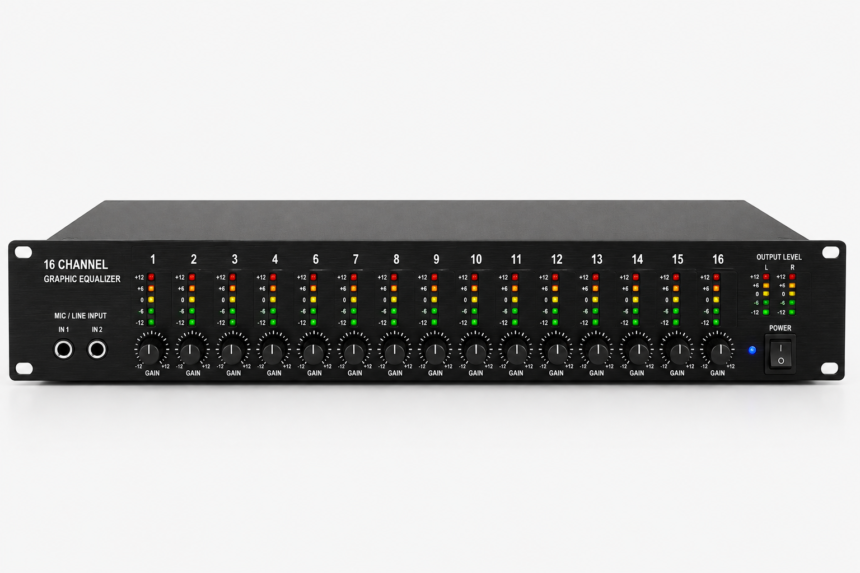
Whether you’re listening to music, watching movies, gaming, or managing live audio, sound quality can make a huge difference. Even the best speakers or headphones may not deliver the experience you want if the audio isn’t properly balanced. That’s where a Quad Equalizer becomes useful. It gives you greater control over different frequency ranges, helping you create clearer vocals, richer bass, and more balanced sound.
The term Quad Equalizer can describe different types of audio equipment. In some cases, it refers to a four-band equalizer that lets you adjust bass, low-mid, high-mid, and treble frequencies. In professional audio systems, it may also describe a four-channel equalizer, where each channel can be adjusted independently. Products such as the Mackie Quad EQ are well-known examples used in live sound, studios, and commercial audio installations.
This guide explains what a Quad Equalizer is, how it works, where it is used, and how you can get the best audio performance with the right settings. Whether you’re a beginner or an experienced audio enthusiast, you’ll find practical information to help you make better sound adjustments.
What Is a Quad Equalizer?
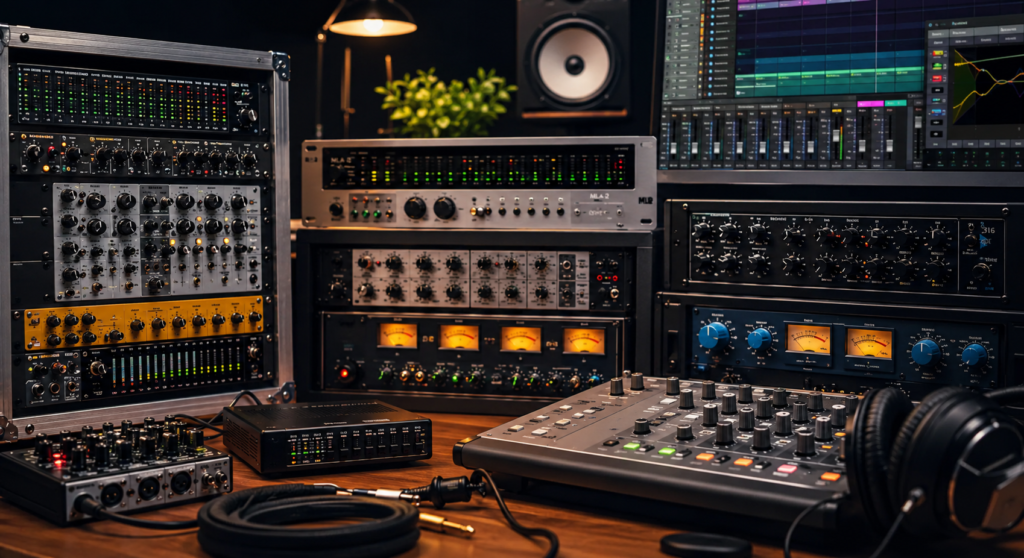
A Quad Equalizer is an audio processing tool designed to shape sound by adjusting specific frequency ranges. Instead of relying on simple bass and treble controls, it offers more precise adjustments that improve overall audio balance and clarity.
The word “Quad” simply means four, but its meaning depends on the device you’re using. In consumer audio products, it often refers to a four-band equalizer, where four separate frequency ranges can be adjusted individually. In professional equipment, it may refer to four independent equalizer channels, allowing different audio signals to be processed separately.
The main purpose of a Quad Equalizer is not to completely change how music sounds but to correct imbalances. If your speakers produce too much bass, vocals sound unclear, or high frequencies feel too sharp, a Quad Equalizer helps you make small adjustments that create a more natural listening experience.
Unlike automatic sound enhancement features, a Quad Equalizer gives users complete control over how audio is shaped. This flexibility makes it popular among music lovers, recording engineers, gamers, podcast creators, and live sound professionals.
How Does a Quad Equalizer Work?
Every sound you hear consists of different frequencies. Low frequencies create deep bass, middle frequencies contain most vocals and instruments, while high frequencies add clarity and detail. A Quad Equalizer allows you to increase or decrease these frequency ranges independently.
Instead of making dramatic changes, professional audio engineers usually recommend making small adjustments. Even a slight change of one or two decibels can noticeably improve sound quality without introducing distortion.
Most Quad Equalizers divide sound into four main frequency areas.
Low Frequencies
The lowest frequency band controls bass sounds. This includes kick drums, bass guitars, electronic bass effects, and deep movie soundtracks. Increasing this range produces fuller bass, while reducing it helps eliminate unwanted boominess.
Low-Mid Frequencies
This range adds warmth and body to music and voices. Too much emphasis here can make audio sound muddy or boxed in. A slight reduction often creates a cleaner overall sound, especially when listening through smaller speakers.
High-Mid Frequencies
High-mid frequencies affect vocal presence and instrument clarity. Increasing this range can make speech easier to understand and improve details in guitars, pianos, and game effects. Excessive boosting, however, may cause listening fatigue.
High Frequencies
The highest frequency band controls brightness and detail. It influences cymbals, acoustic instruments, and vocal crispness. A small increase often adds sparkle to music, while lowering it can reduce harshness from bright speakers or headphones.
When these four frequency regions work together correctly, the overall listening experience becomes much more balanced and enjoyable.
Four-Band Equalizer vs Four-Channel Equalizer
Many people assume every Quad Equalizer works the same way, but there are actually two common designs.
A four-band equalizer adjusts one audio signal using four frequency controls. This type is commonly found in smartphones, computers, music software, and consumer audio equipment. It focuses on improving the tonal balance of a single source.
A four-channel equalizer, on the other hand, processes four separate audio signals. Professional rack-mounted systems, such as those used for concerts, recording studios, churches, and conference venues, often use this design. Each channel can have its own equalization settings, making it easier to optimize multiple speakers or microphones independently.
Some professional units combine both ideas by providing four channels, with each channel offering multiple graphic or parametric frequency bands. This allows sound engineers to make extremely detailed adjustments for different parts of an audio system.
Understanding which type of Quad Equalizer you’re using helps you apply the correct settings and avoid unnecessary confusion.
Common Types of Quad Equalizers
Although the name remains the same, Quad Equalizers are available in several forms depending on their intended purpose.
Graphic Quad Equalizer
Graphic equalizers use fixed frequency bands controlled by sliders. They are easy to understand and ideal for beginners because each slider directly affects a specific part of the frequency spectrum. Many live sound systems and home audio receivers use this design.
Parametric Quad Equalizer
A parametric equalizer offers greater precision by allowing users to adjust not only the amount of boost or cut but also the exact center frequency and bandwidth. This type is widely used in recording studios where detailed sound shaping is required.
Digital Quad Equalizer
Modern digital equalizers include advanced features such as preset memory, real-time spectrum analysis, automatic feedback detection, and channel linking. Professional products like the Mackie Quad EQ use digital processing to deliver highly accurate sound adjustments while reducing unwanted audio artifacts.
Software Quad Equalizer
Many music players, smartphones, and computer applications include software-based equalizers that simulate the functionality of hardware units. These are popular because they are affordable, easy to update, and allow users to save multiple sound profiles for different headphones, speakers, or listening situations.
Where Is a Quad Equalizer Used?
One of the biggest advantages of a Quad Equalizer is its versatility. It can improve audio performance across many different environments.
Home users rely on it to enhance music playback, improve movie dialogue, and create a more immersive entertainment experience. Gamers use it to make footsteps, voices, and environmental sounds easier to hear during gameplay. Podcast listeners often adjust equalizer settings to improve speech clarity without increasing overall volume.
Professional audio engineers use Quad Equalizers in concerts, recording studios, houses of worship, conference halls, and broadcast environments. They help control feedback, balance speaker systems, and adapt audio to different room acoustics.
Because every room, speaker, and headphone sounds different, a Quad Equalizer provides the flexibility needed to create consistent audio quality in almost any listening environment.
Quad Equalizer Features That Improve Sound Quality
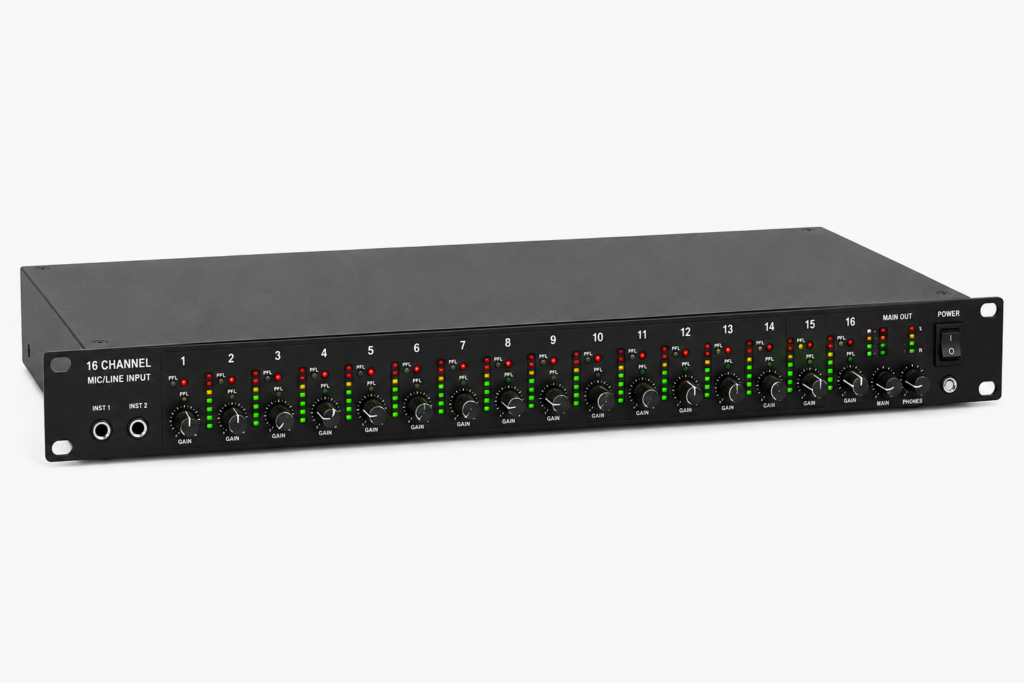
A modern Quad Equalizer offers much more than simple bass and treble controls. Whether you’re using professional rack equipment or software on your computer, most models include features that make audio adjustment easier and more accurate. Understanding these features helps you get the best performance without making unnecessary changes.
One of the most valuable capabilities is the ability to fine-tune multiple frequency ranges independently. Instead of changing the overall sound, you can target the exact area that needs improvement. This makes music more balanced, voices clearer, and instruments easier to distinguish.
Many advanced Quad Equalizers also include digital processing, preset memory, channel linking, and real-time monitoring. These tools are especially useful in live sound environments where audio conditions can change quickly during a performance.
Real-Time Audio Analysis
Professional Quad Equalizers often include a built-in Real-Time Analyzer (RTA). This feature displays how sound behaves across different frequencies while audio is playing.
Instead of relying only on your ears, the analyzer provides a visual representation of frequency levels. It becomes much easier to identify unwanted peaks, excessive bass, or frequencies that may cause feedback.
Although visual analysis is helpful, experienced engineers still recommend trusting your ears first. The analyzer should support your decisions rather than replace careful listening.
Preset Memory and Profile Saving
Many digital Quad Equalizers allow users to save custom settings for different situations. Rather than adjusting frequencies every time, you can store profiles for music, movies, gaming, podcasts, or live performances.
This feature is especially useful if you regularly switch between headphones, speakers, or different listening environments. Each device has its own sound characteristics, and saved presets help maintain consistent audio quality.
Professional rack units often support dozens of preset memories, allowing engineers to instantly recall settings for different venues or events.
High-Pass and Low-Pass Filters
Some Quad Equalizers include adjustable high-pass and low-pass filters that remove unwanted frequencies before they reach your speakers.
A high-pass filter reduces unnecessary low-frequency rumble, making speech cleaner and reducing background noise. A low-pass filter limits extremely high frequencies that may introduce hiss or harshness.
These filters are commonly used in live sound systems, recording studios, and broadcasting where clean audio is essential.
Channel Linking
Professional four-channel equalizers usually provide channel linking. This allows two channels to work together so both receive identical equalizer adjustments.
Channel linking is particularly useful for stereo speaker systems because it keeps the left and right channels perfectly balanced. If independent adjustments are needed later, the channels can easily be separated again.
This feature saves time and ensures consistent sound across multiple speakers.
Benefits of Using a Quad Equalizer
A properly adjusted Quad Equalizer can significantly improve your listening experience without requiring expensive audio equipment. Even small changes often produce noticeable improvements.
One of the biggest benefits is better sound balance. Instead of overpowering bass or harsh treble, every part of the audio becomes easier to hear. Music feels more natural, movie dialogue becomes clearer, and game sound effects are easier to recognize.
Another advantage is flexibility. Different music genres, headphones, speakers, and rooms all have unique sound characteristics. A Quad Equalizer allows you to adapt audio to each situation rather than relying on a single preset.
Professional users also appreciate the ability to reduce feedback, improve microphone clarity, and optimize sound systems for different venues.
Best Quad Equalizer Settings for Different Uses
There is no single equalizer setting that works perfectly for everyone. Your headphones, speakers, room acoustics, and personal preferences all influence the final result. However, these general approaches provide an excellent starting point.
For music listening, aim for a balanced sound with only slight adjustments. If bass feels weak, increase the low frequencies slightly without overpowering vocals. A small boost in the high frequencies can also add extra clarity.
For movies, improving dialogue is usually the priority. Reducing excessive bass while slightly increasing the high-mid frequencies helps voices stand out during action scenes.
Gamers often benefit from lowering heavy bass while boosting the mid and high-mid frequencies. This makes footsteps, reload sounds, and environmental effects easier to hear without becoming overwhelming.
For podcasts and voice calls, reducing low frequencies and adding a modest increase to the vocal range creates clearer and more natural speech.
The best results almost always come from subtle adjustments rather than extreme boosts. Changes of one or two decibels are often enough to make a noticeable difference.
Tips for Getting Better Audio Performance
Before making any adjustments, reset every band to a neutral position. Starting with a flat equalizer helps you identify what actually needs improvement instead of correcting previous adjustments.
Listen to familiar music that you’ve heard many times before. Recognizing the original sound makes it much easier to notice whether your changes are improving or hurting the audio quality.
Focus on solving one problem at a time. If bass feels too strong, adjust only the low frequencies first. Avoid moving every control simultaneously because it becomes difficult to know which adjustment made the difference.
Whenever possible, reduce frequencies that sound excessive instead of dramatically boosting others. Cutting unwanted frequencies usually produces cleaner sound while reducing the risk of distortion.
Finally, save separate presets for different devices. Headphones, desktop speakers, car audio systems, and Bluetooth speakers rarely perform the same, so individual profiles provide much better results than one universal setting.
Common Applications of a Quad Equalizer
Quad Equalizers are used in many different environments because they provide flexible sound control.
In home entertainment systems, they improve music playback, streaming content, and movie soundtracks. Users can enhance dialogue, control bass, and create a more enjoyable listening experience without replacing their speakers.
Recording studios use Quad Equalizers during mixing and live recording to shape instruments and vocals more accurately. Engineers often rely on precise equalization to create balanced professional recordings.
Live sound engineers use rack-mounted Quad Equalizers to manage microphones, stage monitors, and speaker systems. Real-time adjustments help reduce feedback and maintain consistent audio throughout an event.
Car audio enthusiasts also benefit from Quad Equalizers by compensating for cabin acoustics and improving overall sound balance. Even factory-installed speakers often sound much better after careful equalization.
Content creators, streamers, and podcasters frequently use equalizers to make voices clearer and reduce unwanted background frequencies before publishing their recordings.
Buying Guide: How to Choose the Right Quad Equalizer
Choosing the right Quad Equalizer depends on how and where you plan to use it. A music lover using headphones has very different needs from a live sound engineer managing multiple speakers. Instead of looking only at the number of features, focus on the functions that match your audio setup.
For everyday listening, a software-based Quad Equalizer with adjustable frequency bands and preset saving is usually enough. These applications are easy to use and work well with computers, smartphones, and media players. They allow you to personalize sound without purchasing additional hardware.
If you’re working in a recording studio, church, conference hall, or live event, a professional hardware equalizer offers greater flexibility. Rack-mounted units often include multiple channels, digital signal processing, feedback control, and real-time frequency analysis, making them ideal for demanding environments.
You should also consider compatibility with your existing equipment. Check whether the equalizer supports your speakers, amplifier, mixer, or audio interface. A device that integrates smoothly into your setup will provide a much better experience than one with unnecessary complexity.
Common Mistakes to Avoid
Many people believe that increasing every frequency band will improve sound quality. In reality, this usually creates distortion and makes music less natural. A well-balanced equalizer curve almost always sounds better than an aggressive one.
Another common mistake is applying the same settings to every audio device. Headphones, desktop speakers, Bluetooth speakers, and car audio systems all produce sound differently. What works perfectly on one device may sound poor on another.
Some users also rely entirely on visual frequency graphs instead of listening carefully. While real-time analyzers provide useful information, your ears should always make the final decision. Audio quality is ultimately about how the sound feels, not how the graph looks.
Ignoring volume levels is another frequent problem. If several frequencies are boosted at the same time, the overall output level may become too high and introduce clipping. Keeping adjustments small helps preserve clean, detailed sound.
Can a Quad Equalizer Improve Sound Quality?
Yes, a Quad Equalizer can noticeably improve sound quality when used correctly. It helps balance frequencies so that music, movies, games, and spoken audio sound clearer and more natural. Instead of masking details with excessive bass or sharp treble, proper equalization creates a smoother listening experience.
However, it’s important to understand its limitations. A Quad Equalizer cannot repair damaged speakers, increase the quality of low-resolution audio files, or replace good recording equipment. It simply adjusts the frequencies that already exist in the audio signal.
The biggest improvements usually come from making small corrections rather than dramatic changes. Even modest adjustments can make vocals easier to hear, instruments more distinct, and overall sound more enjoyable.
Final Thoughts
A Quad Equalizer is one of the most effective tools for improving audio quality without replacing your existing equipment. Whether you’re listening to music at home, mixing recordings in a studio, gaming with headphones, or managing a professional sound system, it gives you greater control over how audio is reproduced.
Understanding whether your device uses a four-band equalizer or a four-channel equalizer is the first step toward getting the best results. From there, making careful frequency adjustments, saving custom presets, and avoiding extreme boosts will help you achieve cleaner, more balanced sound.
As audio technology continues to evolve, modern Quad Equalizers offer advanced features such as digital signal processing, real-time analysis, preset memory, and channel linking. These capabilities make it easier than ever to optimize sound for different environments and listening styles.
Rather than chasing the perfect preset, focus on making small adjustments that solve specific problems. With a little practice, a Quad Equalizer can transform ordinary audio into a clearer, more immersive, and more enjoyable listening experience.
FAQs
What is a Quad Equalizer used for?
A Quad Equalizer is used to adjust different audio frequencies or multiple audio channels to improve sound balance, clarity, and overall listening quality. It is commonly used in home audio systems, recording studios, live events, and car audio setups.
Does Quad Equalizer mean four bands or four channels?
It can mean either, depending on the product. Some Quad Equalizers offer four adjustable frequency bands for one audio signal, while professional models provide four independent channels that can each be equalized separately.
Is a Quad Equalizer good for music?
Yes. A Quad Equalizer allows you to fine-tune bass, mids, and treble so music sounds more balanced and enjoyable. Small adjustments often produce the best results.
Can a Quad Equalizer improve gaming audio?
Yes. Proper equalizer settings can make footsteps, dialogue, and environmental effects easier to hear while reducing excessive bass that may hide important game sounds.
What is the best Quad Equalizer setting?
There is no universal setting because every speaker, headphone, and room is different. Starting with a flat EQ and making small adjustments based on your listening preferences usually delivers the best results.