Blooket is an online educational gaming platform that turns ordinary quizzes into interactive learning experiences. It allows teachers to create question sets, host live games, and assign activities that students can complete at their own pace. Instead of answering questions on a traditional worksheet, students participate in entertaining games where correct answers help them earn points, unlock rewards, and progress through different challenges.
The platform is designed to make classroom revision more enjoyable while helping students remember important information. Teachers can use it for subjects such as mathematics, science, history, English, and vocabulary. Students can join games using a code, select a character, and answer questions from their own devices.
One reason Blooket attracts attention is its combination of educational questions and different gameplay styles. Students can experience quiz challenges, strategy games, and team competitions using the same set of questions. This makes it a useful option for classroom activities, homework practice, and independent learning.
Whether you are a teacher looking for a new classroom tool, a student wanting to join a game, or a parent exploring educational activities, understanding how Blooket works can help you get more from the platform.
What Is Blooket?
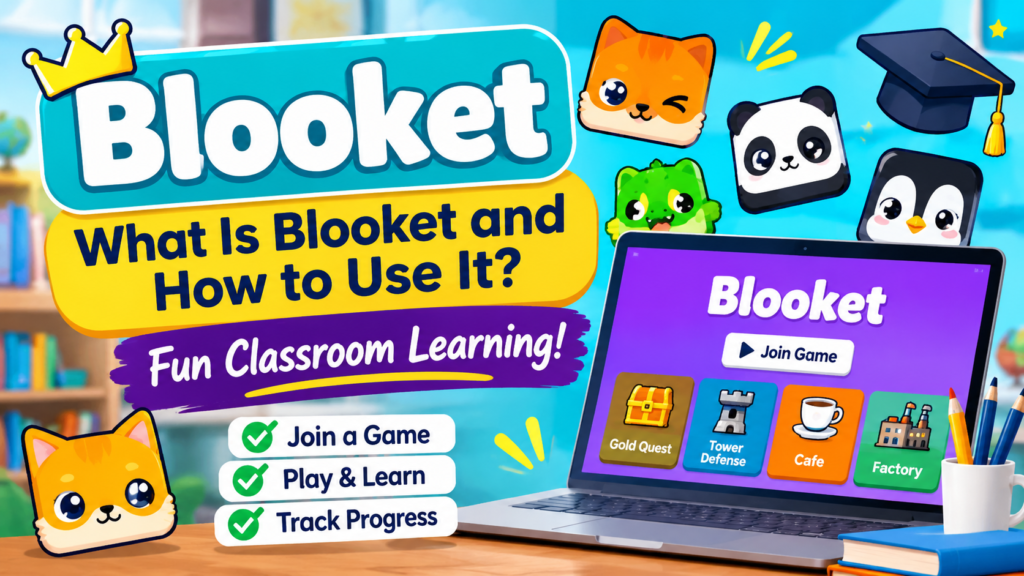
Blooket is a browser-based learning platform that combines quizzes with interactive video game-style activities. It allows educators to turn educational questions into different games, making revision more engaging for students.
Teachers can create their own question sets or explore existing sets shared by other users. Once a suitable set is selected, they can choose a game mode and invite students to participate. Students answer questions during gameplay, and their answers help them earn rewards or complete specific objectives.
Unlike a traditional quiz where the main focus is answering questions correctly, Blooket connects learning with different game mechanics. For example, students might collect gold, build a virtual defense system, serve customers, or compete in a race after answering questions.
The platform can be used in classrooms, tutoring sessions, and at home. Teachers remain responsible for selecting suitable questions and connecting each activity to their learning objectives.
How Does Blooket Work?
Blooket works through three main elements: a question set, a game mode, and the players participating in the activity. The teacher or host selects the questions and starts a game, while students join using a game code or shared link.
Once the game begins, students answer questions on their individual devices. Correct answers help them progress according to the selected game’s rules. Depending on the mode, they may earn points, collect resources, complete challenges, or compete against other participants.
The general process follows these steps:
- Choose a question set: Select an existing educational set or create your own questions.
- Select a game mode: Pick a suitable activity based on your subject and classroom goals.
- Host the game: Start a live session and generate a game code.
- Invite students: Share the code, QR code, or joining link.
- Answer questions: Students participate and complete the challenges.
- Review results: Examine the available game reports to understand student performance.
This structure makes Blooket useful for both quick classroom revision and more organized learning activities.
How to Join a Blooket Game
Students can join a live Blooket session without creating an account. They generally need a game code from their teacher or host and a device with internet access.
Steps to Join Blooket
- Open the official Blooket Play page.
- Enter the game code provided by your teacher.
- Choose a nickname if the host allows it.
- Select an available Blook character.
- Wait for the host to start the session.
- Read the questions and participate in the game.
The Blooket join process is straightforward, making it suitable for students who are using the platform for the first time. A game code is normally generated when the host starts a live session.
Students can also join through a shared game link or QR code when the host provides one. If a code does not work, check that the session is still active and that you entered the correct digits.
How to Create a Blooket Account and Log In
Creating an account gives users access to additional platform features. Teachers can manage question sets and host games, while students with accounts can maintain their collections and track available progress features.
How to Sign Up
To create a Blooket account:
- Visit the official Blooket website.
- Select the Sign Up option.
- Choose an available registration method.
- Enter the required account information.
- Follow any verification instructions.
- Complete the registration process.
Account options and registration requirements may depend on the user’s age and the platform’s current terms.
How to Use Blooket Login
After creating an account, visit the official website and select Login. Enter your registered email and password or use an available supported sign-in option.
Once logged in, users can access their account dashboard. Teachers can manage educational content and game sessions, while students can explore their available account features.
It is important to use the official website for registration and login. Avoid entering account details on third-party websites that promise free rewards, unlimited coins, or special characters.
How to Host a Blooket Game as a Teacher
Hosting a game is one of the most useful features for educators. Teachers can choose a topic, prepare questions, select a game mode, and invite the entire class to participate. The process does not require advanced technical knowledge, so even new users can get started quickly.
1: Find or Create a Question Set
After logging in, open the question set library or the section for your own sets. You can search for existing educational material or prepare a new set based on your lesson.
For example, a mathematics teacher might create questions about multiplication, fractions, and basic calculations. An English teacher could prepare vocabulary questions, grammar exercises, or sentence-completion activities.
Step 2: Select a Game Mode
Choose a game mode that matches the topic and the time available for your lesson. Some modes are suitable for quick revision, while others involve strategy and longer gameplay.
Step 3: Adjust Game Settings
Before starting, review the available settings. Depending on the selected mode, you may be able to adjust participation, time limits, or other gameplay options.
Teachers should consider the age group and learning abilities of their students when choosing these settings.
Step 4: Share the Game Code
Select the hosting option to start a live session. Blooket provides a joining code that students can enter on the official play page. You can also share a joining link or display a QR code when available.
Step 5: Monitor the Game and Review Results
As students participate, the teacher can monitor the activity through the host interface. After the session, available reports help identify correct and incorrect answers and show which topics may need further explanation.
This makes a Blooket host session more than just a classroom competition. It can also help teachers understand how well students have understood the lesson.
Popular Blooket Game Modes Students Can Enjoy
One of the main attractions of Blooket is its collection of different game modes. Rather than repeating the same quiz format, students can answer questions while participating in different activities.
The available selection can change as the platform introduces new experiences and seasonal content.
Gold Quest
Gold Quest is a treasure-themed activity where students answer questions and choose from available treasure chests. Their choices can affect their gold totals and positions in the competition.
The element of surprise makes the game exciting because answering correctly is only one part of the experience. Students must also deal with changing scores and unexpected outcomes.
Tower Defense
Tower Defense combines educational questions with strategy-based gameplay. Players use resources earned through answering questions to build and improve defenses against approaching enemies.
This mode can be useful for students who enjoy planning, making decisions, and completing longer challenges.
Cafe
Cafe is a restaurant-management style game. Students answer questions to earn resources that help them serve customers and manage their virtual business.
It offers an interesting way to connect classroom revision with basic ideas about customer service, planning, and resource management.
Factory
Factory introduces students to a production and resource-management experience. Players work toward improving their virtual operations while answering educational questions.
It can be an enjoyable choice for students who prefer building, upgrading, and managing things rather than competing in a traditional quiz.
Racing
Racing is a straightforward competitive mode in which correct answers help players move forward. The objective is to reach the finish line before other participants.
Because the gameplay is easy to understand, it can work well for short classroom activities and quick revision sessions.
Battle Royale
Battle Royale introduces an elimination-style competition in which students answer questions to remain in the game. It can create an energetic atmosphere, particularly when students already understand the subject.
Teachers should consider whether elimination-based competition is suitable for their class before selecting this mode.
How to Use Blooket in the Classroom Effectively
Using Blooket successfully involves more than simply starting a game. Teachers should connect every activity to a specific learning objective and make sure that students are practicing useful information.
Here are some practical ways to include it in everyday teaching.
1. Use It for Lesson Revision
At the end of a lesson, prepare a short question set covering the main topics. Students can answer questions through a selected game mode, allowing the teacher to review important concepts without repeating the entire lesson.
For example, after teaching fractions, a mathematics teacher can create questions about equivalent fractions, addition, subtraction, and comparisons.
2. Introduce New Vocabulary
Language teachers can use question sets to introduce new words, meanings, synonyms, and sentence structures. Students can practice recognizing words and selecting the correct definitions.
Repeating vocabulary through different activities can help students become more familiar with the material.
3. Prepare Students for Exams
Blooket can support exam preparation by turning important topics into short practice sessions. Teachers can organize separate question sets for each chapter and use them to identify areas that require additional attention.
However, it should complement textbooks, written exercises, and other revision methods rather than replace them.
4. Create Homework Activities
Teachers can use available homework or asynchronous assignments to give students an opportunity to practice outside the classroom.
Students can complete assigned activities on their own schedules, depending on the teacher’s settings and the selected game options.
This approach can be particularly useful when students need additional practice before an upcoming test.
5. Organize Team Competitions
Team-based activities can encourage students to discuss answers, share ideas, and support classmates. Teachers can organize small groups and select a suitable game mode for collaborative revision.
The objective should be to encourage participation rather than make students feel uncomfortable about their performance.
What Are Blooks in Blooket?
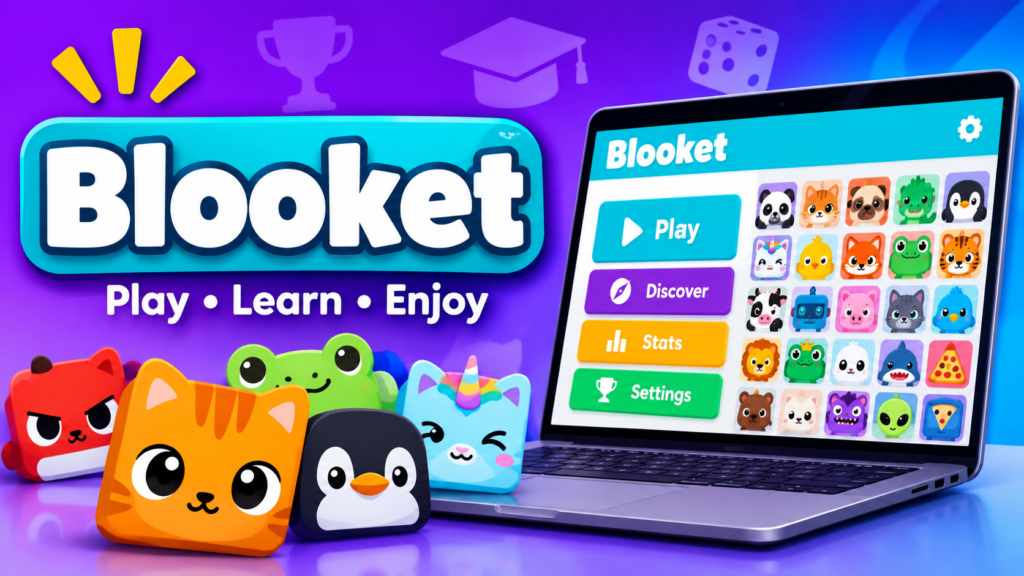
Blooks are the character-style avatars used throughout the platform. They give students a way to represent themselves during games and add a collection element to the learning experience.
Students can explore different characters and unlock additional ones through the platform’s available collection features. These characters are often designed around animals, fantasy themes, food, and other creative ideas.
Different Types of Blooks
The collection includes characters with different appearances and rarity categories. The commonly discussed rarity levels include:
- Common: Basic characters available to players.
- Uncommon: Characters with a less common collection status.
- Rare: More difficult characters to obtain.
- Epic: Higher-rarity collectible characters.
- Legendary: Characters that are harder to unlock.
- Chroma: Special characters with distinctive appearances.
- Mystical: Extremely limited characters associated with special releases or events.
Availability and collection opportunities can vary. Some characters may only appear through particular boxes or limited-time events.
How to Collect More Blooks
Players can participate in eligible games, earn available in-game rewards, and use tokens through the Market to explore character boxes.
The collection system provides an additional reason for students to return to the platform. However, teachers should keep the educational purpose of each activity more important than collecting characters or earning rewards.
What Is the Blooket Dashboard?
The Blooket dashboard is the central area where registered users access their available account features. Its layout and options depend on the type of account and the features currently provided by the platform.
For teachers, the dashboard is especially important because it helps organize classroom activities.
Some of its useful areas include:
- Discover: Explore question sets created by other users.
- My Sets: Access and manage your own question collections.
- Host: Start a live game using an available question set.
- Homework: Manage supported independent practice activities.
- Reports: Review available information about student performance.
- Market: Explore collectible characters and available boxes.
The dashboard helps teachers prepare activities before class instead of creating everything from the beginning each time.
Is Blooket Free to Use?
Blooket offers a free starting option as well as paid subscription plans. Users can explore the platform and access its educational gaming experience without immediately purchasing a subscription.
The free option can be suitable for teachers who want to introduce interactive quizzes into their classrooms without adding another regular expense.
Blooket also offers Blooket Plus, a paid upgrade that provides additional features. Depending on the current subscription plan, these may include enhanced reports, additional classroom options, and other benefits.
The exact features, player limits, and subscription prices can change. Therefore, teachers should check the official Blooket subscription information before choosing a paid plan.
For most new users, starting with the free option is a sensible way to understand the platform and decide whether additional features are necessary.
What Are the Main Benefits of Using Blooket?
Blooket offers several practical advantages when teachers use it as part of a well-planned lesson.
Makes Revision More Enjoyable
Traditional revision can become repetitive, especially when students repeatedly answer questions from worksheets. Blooket introduces different activities that can make the same educational material feel more interesting.
Encourages Classroom Participation
Students participate directly from their own devices. This gives them an opportunity to answer questions instead of only watching a teacher explain the material.
Provides Useful Learning Feedback
Available game reports can help teachers identify questions that students found difficult. This information can guide future lessons and help educators decide which topics need more attention.
Supports Different Subjects
Teachers can prepare question sets for a wide range of subjects, including mathematics, science, history, geography, and language learning.
Offers Flexible Learning Options
The platform supports live and asynchronous activities, allowing educators to use it during classroom lessons or for independent practice.
These advantages reflect the broader principles of gamification and game-based learning, where game elements and interactive challenges are used to encourage participation and motivation.
Is Blooket Safe for Students?
Blooket is designed for educational activities, but teachers and parents should still consider privacy, age requirements, and the content students access.
The platform allows teachers to select the question sets used in their games. This is important because community-created material may vary in accuracy, quality, and suitability for different age groups.
Before hosting a session, educators should review the questions and make sure the content matches the students’ learning level.
A few sensible precautions include:
- Use the official Blooket website.
- Avoid sharing personal information in public nicknames.
- Review question sets before assigning them.
- Follow school policies regarding student accounts.
- Check the platform’s current privacy policy and age requirements.
- Avoid third-party websites offering account hacks or free rewards.
Parents can also supervise younger children when they use online educational platforms.
Blooket vs Kahoot vs Gimkit: What Is the Difference?
Blooket is not the only educational gaming platform available to teachers. Other popular options include Kahoot, Gimkit, and Quizizz. All of these tools use questions and interactive activities to support learning, but their gameplay and classroom features are different.
| Platform | Main Focus | Best Use |
| Blooket | Quiz-based mini-games and collectibles | Interactive classroom revision |
| Kahoot | Live quizzes and competitive answering | Whole-class quiz activities |
| Gimkit | Strategy, virtual currency, and power-ups | Longer competitive sessions |
| Quizizz | Interactive quizzes and assessments | Practice and learning assessments |
Which Platform Should Teachers Choose?
The right platform depends on the classroom environment and the learning objective.
Blooket is a good option when teachers want different game modes and entertaining review activities. Kahoot works well for straightforward live quizzes, while Gimkit adds more strategic gameplay. Quizizz is worth considering when teachers want additional assessment and independent practice options.
Rather than choosing only one platform, educators can try different tools throughout the school year. This helps keep classroom activities varied and gives students different ways to practice what they have learned.
Common Challenges When Using Blooket
Although Blooket offers an enjoyable learning experience, it is not perfect for every classroom situation. Teachers should understand its limitations before making it a regular part of their lessons.
Competition Can Distract Students
Some students become more interested in winning than understanding the questions. This can reduce the educational value of an activity.
Teachers can address this by rewarding participation, accuracy, and improvement rather than focusing entirely on the leaderboard.
Internet Access Is Required
Blooket is an online platform, so students need a working internet connection and a compatible device. Network problems can interrupt a live classroom session.
Teachers should have a backup activity available in case the platform becomes temporarily inaccessible.
Question Quality Can Vary
Community-created question sets are useful, but not every set is suitable for every classroom. Some may contain outdated information, incorrect answers, or questions that do not match the lesson.
Reviewing the material before hosting is an important step.
Games Should Not Replace Teaching
Blooket is most effective when used to reinforce concepts that students have already learned. It cannot replace detailed explanations, classroom discussions, practical exercises, or proper assessment.
Teachers should treat it as an additional learning resource rather than a complete teaching solution.
Conclusion
Blooket provides an interesting way to bring interactive games into everyday classroom learning. By combining educational questions with different gameplay experiences, it gives teachers another option for helping students revise lessons, practice important concepts, and participate in classroom activities.
Its question sets, hosting tools, game modes, and collectible Blooks make the platform appealing to both educators and students. Teachers can use existing educational material or create their own activities based on specific learning objectives.
However, the best results come from using Blooket with a clear educational purpose. Games should support understanding rather than replace proper teaching, discussion, and assessment.
Whether you are a teacher preparing a classroom activity, a student joining a live session, or a parent looking for an educational game, Blooket is worth exploring. Start with a simple question set, choose a suitable game mode, and discover how interactive learning can make revision more enjoyable.
FAQs
What is Blooket used for?
Blooket is used for educational quizzes, classroom revision, homework practice, and interactive learning activities. Teachers create or select question sets and use different game modes to help students practice educational topics.
How do you join a Blooket game?
Enter the game code provided by your teacher, choose a nickname if permitted, and join the waiting lobby. The host starts the game when participants are ready.
Is Blooket free?
Yes, Blooket offers a free option that allows users to explore its educational gaming features. Paid Blooket Plus subscriptions are also available for users who need additional features.
Do students need an account to play Blooket?
Students can generally join teacher-hosted live games without creating an account. They need the joining information provided by the host. An account is useful for accessing additional features and maintaining personal progress.
Can teachers create their own Blooket games?
Yes. Teachers can create custom question sets, add educational questions, and select a suitable game mode. They can also explore existing community-created sets and adapt them to their lessons.
Can you play Blooket alone?
Yes. Blooket offers solo gameplay options for selected game modes. Users can choose a question set and play independently without joining a live classroom session.
What are Blooks in Blooket?
Blooks are collectible character avatars that players use during games. They come in different designs and rarity categories, and players can explore collection features through the platform.
Is Blooket suitable for younger students?
Blooket can be used with younger learners when teachers or parents select age-appropriate question sets and supervise activities. Adults should also review account requirements and privacy settings before use.
What are the best alternatives to Blooket?
Popular alternatives include Kahoot, Gimkit, and Quizizz. Each offers different approaches to quizzes, classroom competitions, and independent learning activities.
| 🔗 You may also like: |
| Gimkit host guide |
| Classroom 15x |