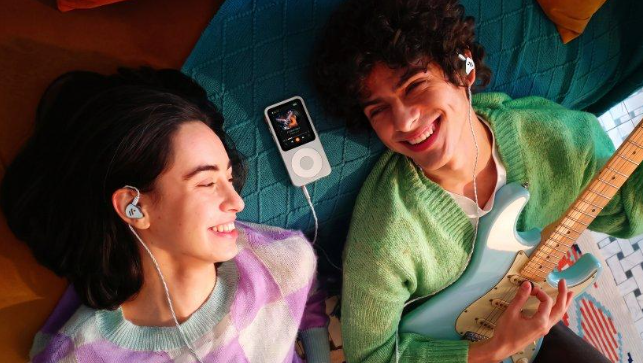
A new music player should feel simple on day one, and the Fosi Audio DAP Neo mostly does. It is a small, dedicated player built for listening to your own music files, away from phone notifications and streaming apps. If you give it half an hour before your first proper listen, the rest of the setup feels much easier.
Start with the basics: charge it, add some music, and try it with the headphones you already own. You do not need new gear or a long manual to get going. The steps below walk through that first session in order, so you can go from box to music without guessing.
Unbox it and charge it first
Take the player out of the box and check what came with it, usually the player itself, a charging cable, and a short guide. Plug it in and let it charge while you sort out your music. A full charge before first use means you are testing the sound, not watching the battery.
While it charges, look at the buttons and ports so you know where everything is. Find the headphone socket, the charging port, and the slot for a memory card if you plan to use one. Knowing these spots now saves fumbling later when you just want to press play.
Add your music files
A dedicated player is only as good as the music on it, so copy a few albums you know well. Use the cable to connect it to your computer, then drag the folders across. Pick tracks you have heard many times, because familiar songs make it easy to tell how the player sounds.
If your music is in folders by artist or album, keep that structure when you copy it. The player reads those folders, and a tidy layout makes browsing far quicker. Start with a small batch, maybe ten albums, and add more once you are happy with how it works.
| 🔗 You may also like: |
|---|
| Noise Floor, Clarity, Detail: What a DAC Amp Really Changes in the Sound |
| Headphone Amp Myths and Mistakes That Hold Your Sound Back |
Your first listen and the settings that matter
Once your music is on, plug in your headphones, pick an album, and listen at a normal volume. Do not change every setting at once. Listen first, then try one change at a time, such as the sound mode or the volume limit, so you know what each one actually does.
Check the playback screen as you listen. You should be able to see the track, the album, and the controls without hunting through menus. If something feels awkward, that is the time to adjust it, while you are still in a calm first session rather than out on a walk.
- Keep the volume at a comfortable level for the first few tracks, then raise it slowly if you need to.
- Try one sound setting at a time and note what changes before you move on.
- Test the pause and skip buttons so they feel natural before you take the player out.
- Check how the player shows album art and track names, and fix any files that look wrong.
Daily habits that keep it working well
After the first day, a few small habits make the player easy to live with. Top up the charge when you are near a charger, rather than waiting until it is flat. Add new music in small batches, and delete albums you never play so the library stays easy to browse.
Keep it in a pocket or case away from keys and loose change, since the screen and body pick up scratches fast. A quick wipe now and then keeps it looking tidy. With that, the Fosi Audio DAP Neo settles into a simple routine: charge, copy, listen, repeat.
| 🔗 You may also like: |
|---|
| Best Wireless Earbuds Under 200 Dollars in 2024: Top Picks for Every Listener |
| Quad Equalizer: How a Four-Band EQ Shapes Your Sound |
Sorting out small problems on the first day
Most first-day problems are small, and most have a plain cause. If a track will not play, check the file type first, because some players only accept certain formats, and a file copied in the wrong format will simply sit there doing nothing. If the sound is quiet on one side, try a different pair of headphones before you blame the player, since a worn cable is often the real culprit.
If the player cannot find your music, check that the files actually copied across and that they are in the folders you expected. A cable that came loose halfway through a copy can leave half an album behind, and that looks like a player fault when it is really an unfinished transfer. Work through these checks one at a time, and keep a note of what you tried, so you do not repeat the same step twice.
That first half hour is the whole trick. Charge it, load music you love, and listen before you start changing settings. Once the Fosi Audio DAP Neo is set up that way, it stops being a new gadget and becomes the quiet little box you reach for whenever you want to hear music properly, whether you are at home, on a walk, or just taking a break from your phone.
Read Also:- magazinerate.co.uk