In business-to-business (B2B) sales, finding potential customers is only one part of building a successful sales pipeline. Businesses also need to determine whether those prospects match their products, services, resources, and commercial goals. During this process, a company may encounter a field labelled icpfit: false in a CRM record, lead qualification workflow, data export, or sales automation system.
The expression may indicate that a prospect has not met the conditions established for an Ideal Customer Profile (ICP). However, its exact meaning depends on the application that generated it. The field could represent a customer-fit assessment, a custom qualification rule, or another technical condition.
Understanding the result is important before rejecting a lead or changing a customer record. A negative fit status may identify a genuine mismatch, but it can also highlight incomplete information, inaccurate data, or outdated qualification criteria.
This guide explains what icpfit: false may mean, why it appears, how businesses can investigate the result, and which steps help sales teams make better qualification decisions.
What Does icpfit: false Mean?
The expression icpfit: false consists of two parts: a field name and a value. The field name is icpfit, while false is a Boolean value commonly used in software to represent a negative logical state.
In a customer qualification system, the field may indicate that a company or prospect has not satisfied the conditions used to assess customer fit. For example, a software provider might target established businesses with particular operational requirements, employee numbers, or geographic locations.
If a prospect falls outside those requirements, the system may assign a negative fit result.
However, there is no universal definition that guarantees every application uses the exact field name icpfit for Ideal Customer Profile matching. In another application, the same expression could represent a configuration setting, validation result, or internal application condition.
The most reliable approach is to identify the source of the field and check its documentation before interpreting the result.
Understanding the Ideal Customer Profile
An Ideal Customer Profile describes the characteristics of a business that is particularly well suited to a company’s product or service.
Businesses commonly develop an ICP using factors such as:
- Industry and business model
- Company size and employee count
- Geographic location and service availability
- Operational challenges and customer requirements
- Available resources and purchasing suitability
- Compatibility with the product or service
These criteria help sales and marketing teams focus on accounts that are more likely to benefit from their offerings.
For example, a payroll software provider may primarily serve companies with 50 to 500 employees. A company with 120 employees could meet its size requirement, while a company with five employees might fall outside its primary target market.
That difference does not automatically mean the smaller business can never become a customer. It simply illustrates how a company-defined qualification rule may influence an ICP-fit result.
Why Does icpfit: false Appear?
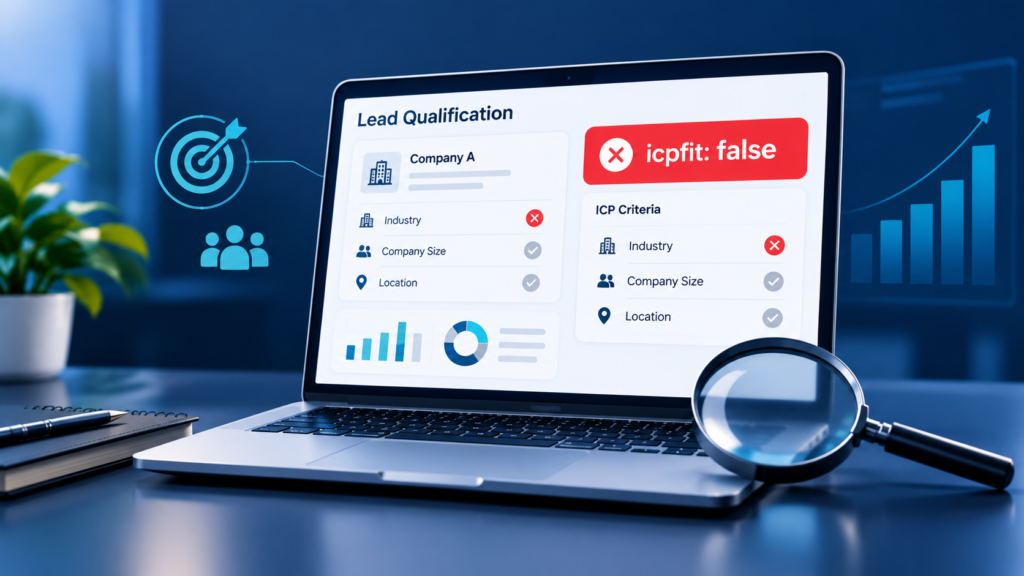
Several circumstances may explain a negative customer-fit result. Identifying the actual cause is more useful than assuming the field represents an error.
1. The Prospect Does Not Match the Target Market
A genuine mismatch is one possible explanation.
A business may have specific requirements concerning industry, location, company size, or product compatibility. When an account fails an essential requirement, the qualification process may mark it as unsuitable.
For example, a cloud service designed for large enterprises may require dedicated administration, advanced security controls, and a minimum level of technical support. A small organisation seeking a basic, low-cost tool may not match that service’s intended customer profile.
In this situation, icpfit: false could reflect a legitimate business decision rather than a technical problem.
Sales teams should distinguish essential requirements from preferences. A company that cannot legally receive a service presents a different situation from one that simply operates in a less-preferred industry.
2. Important Customer Information Is Missing
Incomplete records can complicate lead qualification.
A CRM entry might contain a company name and email address but lack information about employee count, annual revenue, location, or operational requirements. Depending on the system’s logic, missing information could produce a negative result, an unknown status, or an incomplete assessment.
For instance, a software company may require customers to have at least 20 employees. If the employee-count field is blank, the system cannot reliably determine whether the prospect meets that requirement unless another rule supplies the missing information.
A negative result should not automatically be treated as proof that the prospect fails the criteria.
Teams should check whether the application distinguishes between confirmed mismatches and records that have not been assessed properly. Keeping those states separate helps prevent potentially suitable prospects from being overlooked.
3. The CRM Contains Inaccurate Data
Customer-fit assessments depend on the quality of the information being evaluated.
An incorrect company domain, outdated employee count, duplicated account, or contact associated with the wrong organisation can affect the assessment. Even a well-designed qualification rule may produce an unreliable outcome when its inputs are inaccurate.
Consider a company that recently expanded into a new market. If its CRM record still lists its previous operating location, an automated rule may classify it incorrectly.
Before changing the fit status, compare the stored information with reliable company records and update verified errors through the normal data-management process.
It is also useful to identify the source of important fields. Information imported from an old spreadsheet may require a different review from data maintained directly by an account owner.
4. Qualification Rules Have Become Outdated
Business priorities change over time. A company may introduce a lower-priced product, expand its geographic coverage, or develop a service suitable for smaller organisations.
If its ICP rules remain unchanged, the qualification process may continue excluding accounts that the business can now serve.
For example, a provider that originally targeted enterprises might introduce a product specifically for small businesses. Its existing rules could still classify smaller accounts as unsuitable if the new product has not been incorporated into the assessment process.
Revenue operations and sales leadership teams should periodically review qualification criteria to ensure they reflect current products, service capabilities, and commercial priorities.
5. An Integration or Automation Produces an Unexpected Result
Customer information often moves between CRM platforms, enrichment services, lead-scoring tools, and marketing automation systems.
During these transfers, field mappings, data types, and evaluation rules can influence the final result.
For example, one system may store a customer-fit status as a Boolean value, while another expects a text category or numerical score. An integration that does not handle those formats correctly may produce unexpected behaviour.
This possibility deserves investigation when the field changes suddenly, conflicts with the source record, or appears alongside other integration errors.
Check the system that originally generated the value, the destination field, and any automation responsible for updating the record. Do not assume that the integration is faulty simply because the result is negative.
| 🔗 You may also like: |
| Buy or build AI agents companies |
| How non-profits can use salesforce automation to save staff time |
How to Investigate icpfit: false
A structured investigation helps teams determine whether the result is correct, incomplete, or inconsistent with the available evidence.
Step 1: Identify the Source of the Field
Start by locating where icpfit: false appears.
It could be displayed in a CRM record, an API response, an exported spreadsheet, a configuration file, or a technical log. Each environment requires a slightly different investigation.
Find the field’s definition, the application that created it, and the process responsible for updating it. If the field belongs to a third-party platform, consult that platform’s documentation or ask the system administrator for clarification.
Avoid changing the value until you understand what it controls.
Step 2: Review the Qualification Criteria
Once the field’s purpose is clear, examine the conditions used to evaluate customer fit.
Determine which requirements are mandatory and which are preferences. Check whether the assessment considers company size, industry, location, business needs, or other relevant attributes.
Compare these requirements with the prospect’s actual circumstances.
If the account fails a mandatory requirement, the negative result may be justified. If it fails only a preference, the team may need to reconsider whether the rule is too restrictive.
The objective is to verify the decision rather than simply produce a positive result.
Step 3: Verify the Underlying Data
Review the account’s information for missing, outdated, or contradictory values.
Confirm the company identity and check the accuracy of any fields used by the qualification process. If the system relies on employee count or geographic location, verify those details before drawing a conclusion.
Record which information is confirmed and which remains uncertain.
This distinction is especially important when automated tools evaluate large numbers of accounts. A process that treats every unknown value as a confirmed mismatch can distort qualification reports.
Step 4: Check the Assessment History
Where available, examine timestamps, audit logs, rule versions, and recent record changes.
A previously suitable account that suddenly becomes unsuitable may have been affected by a data update, a revised qualification rule, or a change in the connected system.
A useful internal explanation should identify the actual reason. For example, “Outside current service coverage” is more informative than “Failed ICP.”
If the system does not record the reason for its decision, consider adding a reason field or retaining relevant assessment details in future workflows.
Step 5: Correct Verified Problems and Reassess
If the investigation reveals incorrect information, update the affected fields and rerun the assessment when the system supports reassessment.
If the qualification rule is outdated, review the proposed change with the responsible team before applying it.
Do not simply replace false with true to move an attractive prospect into the sales pipeline. An unexplained override can hide data problems and make later decisions difficult to audit.
For automated workflows, test the revised process using representative records before applying it across the entire database.
What Should Sales Teams Do With a Negative ICP-Fit Result?
The appropriate next action depends on the reason behind the result. A negative fit flag should inform the decision rather than automatically determine it.
| Assessment finding | Recommended action |
| Confirmed mismatch | Close, deprioritise, or redirect the enquiry as appropriate |
| Missing customer information | Request essential details or arrange a manual review |
| Incorrect account data | Correct the verified information and reassess |
| Outdated qualification rules | Review the criteria with the responsible team |
| Suitable for another product | Route the account to the relevant offering |
| Unclear or conflicting result | Investigate the source and document the outcome |
This approach allows businesses to distinguish genuinely unsuitable accounts from prospects that need additional information.
A prospect may also be worth nurturing even when it is not ready for immediate sales engagement. For example, a company that expects to expand its workforce next year may become a better match later.
Maintaining a clear record of the decision helps future account owners understand why the prospect was deprioritised and when reassessment might be appropriate.
ICP Fit vs. Lead Scoring: Understanding the Difference
ICP fit and lead scoring are related, but they measure different aspects of a potential customer.
ICP fit evaluates how closely an account matches the characteristics of the business’s intended customers. Depending on the system, it may use company attributes, industry, location, or other qualification criteria.
Lead scoring assigns a score using selected attributes and signals. These can include demographic or company information, website activity, content interactions, and other behaviours.
For example, a company might closely match a software provider’s target market but have little current interest in purchasing. It could have strong ICP fit but low engagement.
Another prospect might repeatedly request product information while falling outside the provider’s normal customer profile. Its engagement could be high even though its fit assessment is negative.
HubSpot’s sales qualification guidance similarly distinguishes customer suitability from buying readiness. Businesses can use these dimensions together to prioritise opportunities without treating them as interchangeable measures.
A practical qualification process therefore considers both the prospect’s suitability and the evidence of buying interest.
| 🔗 You may also like: |
| Media planning vs media buying agency |
| Startup booted financial modeling |
How to Improve Your ICP Qualification Process
Businesses can make customer-fit assessments more useful by establishing clear rules and maintaining reliable records.
Define the Ideal Customer Profile Clearly
Document the characteristics of customers the business can serve successfully. Include essential requirements, preferred attributes, and situations that require individual review.
Avoid adding criteria simply because they are easy to measure. Every rule should have a clear business purpose.
Separate Unknown Values From Confirmed Mismatches
Where possible, distinguish between suitable, unsuitable, and not-yet-assessed accounts.
This prevents missing information from being mistaken for a confirmed negative result. It also gives teams a clear way to identify records that require additional research.
Assign Ownership
Establish who maintains the ICP, who manages CRM fields, and who can approve exceptions.
Sales, marketing, and revenue operations teams should understand how the qualification process works and what actions follow each outcome.
Review Results Periodically
Examine whether qualified accounts progress through the sales pipeline and whether excluded accounts reveal gaps in the criteria.
Patterns may highlight inaccurate data, overly restrictive rules, or changes in the market. Use those findings to improve the process rather than modifying individual records without a clear reason.
Document Decisions
Record meaningful reasons for disqualification, reassessment, and approved exceptions.
Clear documentation improves consistency when multiple people work on the same account and helps teams evaluate their qualification process over time.
Conclusion
icpfit: false may indicate that a prospect has not met the conditions of an Ideal Customer Profile assessment, but the field name alone does not establish its exact meaning. Its interpretation depends on the application, the field definition, and the rules used to generate the result.
When the value appears unexpectedly, identify its source, review the qualification criteria, verify the underlying customer information, and examine the assessment history where available. Correct confirmed problems before reassessing the account.
Businesses should also distinguish customer fit from buying interest and separate incomplete records from confirmed mismatches. These practices help sales teams prioritise suitable opportunities without unnecessarily discarding useful prospects.
Ultimately, a customer-fit flag is most valuable when its meaning is documented, its inputs are reliable, and the decision behind it can be explained.
FAQs
What does icpfit: false mean?
In a system that uses the field for Ideal Customer Profile matching, it may indicate that an account did not meet the defined customer-fit criteria. Its precise meaning depends on the software that generated it.
Is icpfit: false a software error?
Not necessarily. It may be a normal Boolean result rather than an error. Investigate further if the value conflicts with verified information or causes unexpected behaviour.
Can missing data cause icpfit: false?
Yes, depending on the system’s rules. Some applications may return a negative result when required information is missing, while others distinguish unknown values from confirmed mismatches.
How can I change icpfit: false to true?
First identify how the field is generated. Correct inaccurate inputs or review the relevant rules, then use the application’s supported reassessment process. Avoid forcing a positive value without justification.
Does a negative ICP-fit result mean a prospect will never become a customer?
No. It may reflect the company’s current criteria rather than the prospect’s long-term potential. Business needs, service availability, and qualification rules can change.
What is the difference between ICP fit and lead qualification?
ICP fit focuses on how closely a prospect matches the intended customer profile. Lead qualification can consider a broader set of factors, including business needs, purchasing authority, budget, and timing.
Who should manage ICP-fit rules?
Ownership usually involves sales leadership, marketing, and revenue operations, with technical administrators supporting the CRM configuration and integrations. The specific responsibilities depend on the organisation.
Why might an ICP-fit result change?
A result may change when customer information is updated, qualification criteria are revised, or the assessment is rerun. Reviewing the change history can help establish the actual reason.