Online gaming has become one of the easiest ways to enjoy entertainment during free time. However, traditional mobile games often require users to download applications, install updates, create accounts, and reserve storage space on their devices. These requirements can become inconvenient, particularly for people who want to try different games without filling their phones with unnecessary applications.
Mopoga offers an alternative approach through browser-based gaming. It provides access to an online collection of games that visitors can explore and play directly through a web browser. Instead of starting with an app installation, users can visit the platform, browse its available games, select a title, and follow the instructions displayed on the game page.
The idea behind this approach is straightforward: make online gaming more accessible by reducing the steps between discovering a game and starting to play. Whether someone enjoys puzzles, racing challenges, action experiences, or casual entertainment, browser-based platforms provide another way to explore digital games.
This article explores Mopoga, how its gaming experience works, its available categories, mobile compatibility, potential advantages, limitations, and important considerations for players.
What Is Mopoga?
Mopoga is an online gaming platform that promotes free mobile gaming without requiring users to download separate game applications. Its website allows visitors to explore different gaming categories and access available titles through a browser.
The platform focuses on convenience and accessibility. Rather than requiring users to visit an application store, search for an individual game, and install it, Mopoga provides a central place to discover browser-accessible games.
Its game collection includes several categories, such as action, adventure, arcade, casual, puzzle, racing, simulation, sports, and strategy. This variety gives visitors opportunities to explore different types of entertainment based on their interests.
Another important aspect is its browser-based approach. Users can access the website through compatible devices, including smartphones, tablets, laptops, and desktop computers. However, the actual experience may differ depending on the individual game, browser, device specifications, and internet connection.
Mopoga is particularly relevant to people who prefer trying online games without committing to permanent installations.
How Does Mopoga Work?
Mopoga uses a browser-based gaming model. This means that compatible games can run through a web browser instead of requiring a traditional standalone application.
Modern web technologies make this possible. HTML, CSS, and JavaScript provide the foundation for many interactive experiences, while additional browser technologies support graphics, animation, audio, and user interaction.
The Mozilla Developer Network (MDN) explains these technologies in its educational resource, Introduction to Game Development for the Web.
From a player’s perspective, accessing a browser game generally involves a few simple steps.
1. Visit the Website
Open a compatible web browser on your smartphone, tablet, or computer. Enter the Mopoga.net address and allow the homepage to load.
A stable internet connection helps the website display its content correctly.
2. Explore Available Games
Browse the available game collection and look through the categories. Mopoga organizes its titles into different gaming sections, helping visitors discover experiences that match their preferences.
You can explore puzzles, action games, racing challenges, simulations, and other available options.
3. Select a Game
Once you find something interesting, open its individual game page.
Read the description and check the displayed instructions before starting. Some games have straightforward controls, while others may require more time to understand their mechanics.
4. Start Playing
Follow the instructions provided on the game page. Depending on the title, you may use touchscreen controls, keyboard commands, a mouse, or other supported input methods.
If a game does not load immediately, allow additional time or check your browser and internet connection.
5. Finish or Explore Another Game
After completing a session, you can return to the game collection and choose another title.
This browsing-based approach makes it convenient to explore different experiences without installing a separate application for every game.
| 🔗 You may also like: |
| TVLIO Review: Explore IPTV Channels, 4K Streaming, Sports, Movies & Live TV |
| Voddler.co.uk: History, Streaming Legacy, Content & What to Know |
Main Gaming Categories Available on Mopoga
One of the useful aspects of Mopoga is its selection of different gaming categories. Instead of concentrating on only one type of entertainment, its game directory includes several genres.
The available selection can change as games are added, removed, or reorganized.
Action Games
Action games generally focus on movement, quick reactions, challenges, and player decisions. They may involve completing missions, overcoming obstacles, avoiding opponents, or progressing through different stages.
These games can appeal to players who enjoy active gameplay and immediate challenges.
Adventure Games
Adventure games often emphasize exploration, objectives, characters, and progression. Players may need to discover locations, solve problems, or complete tasks to move forward.
Some adventure experiences also include narrative elements that make the gameplay more engaging.
Puzzle Games
Puzzle games provide opportunities to test logical thinking, observation, memory, and problem-solving abilities.
Common examples include matching challenges, number puzzles, pattern recognition, and escape-room-style activities.
These games can be suitable for shorter gaming sessions because many puzzles can be completed independently.
Racing Games
Racing games focus on speed, timing, competition, and vehicle control.
Depending on the individual title, players may navigate tracks, avoid obstacles, improve their performance, or compete against other participants.
Touchscreen and keyboard controls can create different experiences across devices.
Casual Games
Casual games are generally designed around accessible mechanics and straightforward objectives.
They may include simple challenges, short rounds, matching activities, and other forms of lightweight entertainment.
This category can be useful for people who want an uncomplicated gaming experience without learning complicated controls.
Simulation Games
Simulation games allow players to interact with virtual environments that represent activities, systems, or situations.
Some focus on management, while others involve building, planning, or controlling different elements within a game world.
They can appeal to players who prefer thoughtful decisions over fast-paced action.
Sports and Strategy Games
Sports games bring competitive activities into a digital environment, while strategy games emphasize planning, resource management, and decision-making.
Both categories offer different types of challenges and can attract players with different gaming preferences.
Why Play Mobile Games Without Downloads?
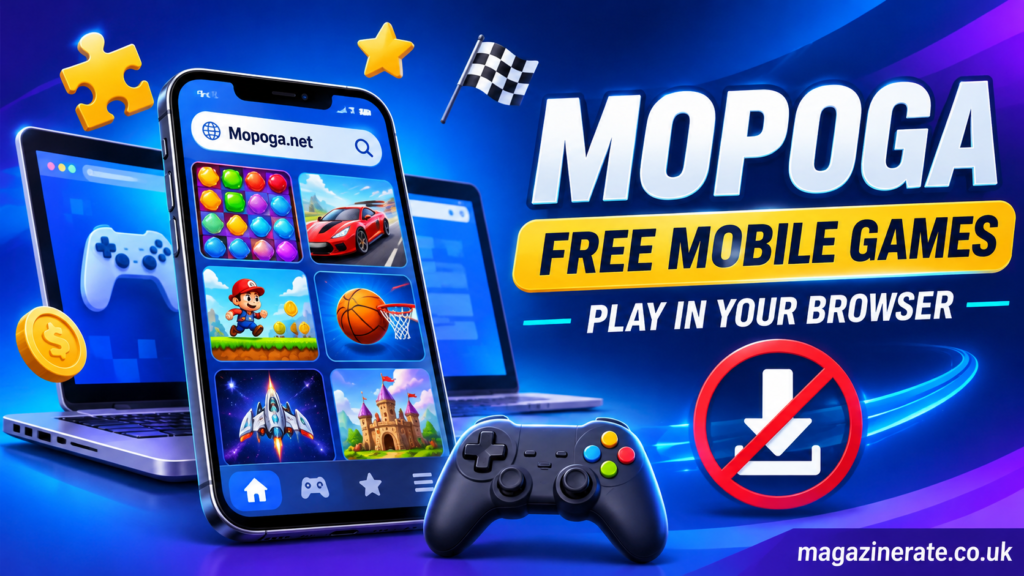
Downloading games is not necessarily a problem, but it is not always the most convenient option. Browser-based gaming offers several practical advantages.
Saves Device Storage
Mobile phones have limited storage capacity. Large applications, photographs, videos, and operating system updates can quickly consume available space.
Browser-based games can reduce the need to install separate gaming applications. This makes them worth considering for people who want to avoid adding more apps to their devices.
However, browser games may still use temporary storage, cache, or other local resources while running.
Convenient Access
Opening a website can be simpler than searching an application store and waiting for an installation to finish.
For compatible titles, players can move from browsing to gameplay with fewer steps.
This is particularly useful when someone wants to explore a game briefly rather than install an application they may never use again.
Explore Different Gaming Genres
A browser gaming platform brings multiple categories together in one place.
Instead of installing separate applications for puzzles, racing, strategy, and casual entertainment, visitors can explore different titles through the same website.
This makes discovering unfamiliar games more convenient.
No Separate Game Installation
The browser-based model removes the requirement to install a separate application for compatible titles.
It does not mean that every game has identical technical requirements. Some may need specific browser features, additional loading time, or particular device capabilities.
Nevertheless, avoiding traditional installation can simplify the initial experience.
Access Across Different Devices
Browser gaming can make it easier to explore entertainment on different types of devices.
A compatible game may work on a smartphone, tablet, laptop, or desktop computer. Actual compatibility depends on how the game has been developed and whether the device supports its controls and technical requirements.
Playing Mopoga on Android and iPhone
Mobile accessibility is an important part of Mopoga’s appeal. Since the platform is designed around browser access, users can explore its website without first installing a dedicated gaming application.
Using Mopoga on Android
Android users can access Mopoga through a supported mobile browser.
The general process is simple:
- Open your preferred browser.
- Visit Mopoga.net.
- Explore the available gaming categories.
- Select a compatible game.
- Follow its on-screen instructions.
If a game supports touchscreen controls, you can interact with it directly using your phone.
For better performance, keep your browser updated and close unnecessary background applications when playing demanding games.
Using Mopoga on iPhone
iPhone users can also visit the platform through Safari or another compatible browser.
The experience depends on the individual game’s technical requirements. Some titles may be designed primarily for touchscreens, while others may work better on larger displays.
If a game does not respond correctly, refreshing the page or trying another supported browser may help.
It is important not to assume that every desktop game will automatically provide an identical experience on an iPhone.
Playing on Tablets
Tablets offer a larger screen than most smartphones while maintaining the convenience of portable gaming.
This can make certain puzzle, adventure, and simulation games easier to explore.
However, touchscreen responsiveness, screen orientation, and game layout still depend on the individual title.
Can You Play Mopoga Games on a Computer?
Although Mopoga emphasizes mobile gaming, browser-based entertainment is not limited to smartphones.
Visitors can explore compatible games using desktop and laptop browsers.
A larger display may improve visibility, especially in games that contain detailed environments, small interface elements, or multiple on-screen controls.
Computers can also provide keyboard and mouse input, which may be more comfortable for certain action, strategy, and simulation games.
Before starting a game, check its displayed instructions to understand the supported controls.
Some mobile-oriented titles may not work as comfortably on desktop devices, so compatibility should be considered on a game-by-game basis.
Is Mopoga Free to Use?
Mopoga promotes free access to its online gaming collection.
This means visitors can explore the platform without necessarily purchasing a separate game application or paying an installation fee.
However, it is important to distinguish between platform access and the conditions of individual games.
Third-party content, advertisements, optional features, and external game providers may have their own requirements.
Players should review the information displayed on individual game pages before proceeding. Never assume that every external service or feature follows the same pricing policy.
A sensible approach is to check whether a game is genuinely free before spending time interacting with additional offers or external services.
Understanding the Technology Behind Browser Games
Browser-based gaming has developed significantly as web technologies have improved.
In earlier years, many online games depended on browser plugins or technologies that are no longer widely supported. Modern web development provides more flexible alternatives.
HTML5, JavaScript, WebGL, and other browser technologies allow developers to create interactive experiences that operate without traditional desktop installations.
For example, JavaScript can handle game logic, player interactions, and animations. WebGL supports graphics rendering, while browser APIs can help developers manage audio, input, and other functions.
The MDN game development resource provides an educational overview of these technologies:
MDN Web Docs – Game Development
These technologies help explain why a modern browser can function as a gaming environment rather than simply displaying static web pages.
However, the technology used by one game may differ from another. Not every browser game uses the same development framework or rendering method.
Tips for a Better Mopoga Gaming Experience
A few basic practices can make browser-based gaming more comfortable and reliable.
Use an Updated Browser
Older browsers may not support certain features required by modern games.
Keeping your browser updated can improve compatibility, security, and overall stability.
Maintain a Stable Internet Connection
Most browser-based games require an internet connection to load their content.
A weak connection can cause slow loading, interruptions, or incomplete gameplay.
Using a reliable Wi-Fi or mobile data connection can help reduce these problems.
Close Unnecessary Applications
Running too many applications simultaneously can reduce available memory and affect performance.
Closing unused applications may help your device allocate more resources to the browser.
Check Game Instructions
Different games use different controls and mechanics.
Some rely on tapping and swiping, while others require keyboard commands or mouse movements.
Reading the instructions before playing can prevent unnecessary confusion.
Be Careful With External Links
Avoid clicking unfamiliar advertisements, download prompts, or suspicious pop-ups.
A browser-based game should not require you to provide unrelated sensitive information or install unknown software simply to begin playing.
Manage Your Gaming Time
Online entertainment can easily become time-consuming.
Taking regular breaks, adjusting screen brightness, and maintaining a comfortable playing position can make gaming sessions more balanced.
Is Mopoga Safe to Use?
Online safety is an important consideration when using any gaming platform.
Mopoga promotes a browser-based experience, but that alone does not guarantee that every game, advertisement, external link, or third-party service is completely safe.
Players should use normal internet security precautions.
Avoid downloading unfamiliar files, sharing passwords, or entering payment information into unverified pages.
Check the website address before interacting with it, and keep your browser security features enabled.
Parents and guardians should also review game descriptions and content suitability before allowing younger users to access particular titles.
It is worth remembering that browser games can come from different developers and providers. Their content, privacy practices, and technical requirements may not be identical.
Responsible browsing is therefore just as important as choosing an interesting game.
Mopoga Compared With Traditional Mobile Gaming
Browser gaming and traditional mobile gaming both provide digital entertainment, but their access methods are different.
| Feature | Browser-Based Gaming | Traditional Mobile Gaming |
| Initial access | Open a browser | Install an application |
| Device storage | No full app installation required | Application storage required |
| Updates | Often handled through web content | Usually managed through app updates |
| Internet access | Usually needed to load games | Depends on the individual game |
| Controls | Touch, keyboard, or mouse | Usually touchscreen or supported controller |
| Game compatibility | Depends on browser support | Depends on operating system and device |
Browser-based gaming is particularly useful for discovering different titles quickly.
Traditional applications may be more suitable for people who prefer dedicated interfaces, offline functionality, advanced device integration, or persistent game installations.
Neither approach is automatically better for every situation. The right choice depends on the player’s preferences and the requirements of the game.
Common Problems When Playing Browser Games
Occasionally, a browser game may not work as expected. Understanding common problems can help users identify possible solutions.
Game Not Loading: Check your internet connection and refresh the page. If the problem continues, try another supported browser.
Slow Performance: Close unnecessary applications and browser tabs. Games with complex graphics may require additional device resources.
Controls Not Responding: Check the game’s instructions and confirm that the selected browser supports the required input method.
Audio Not Working: Check your device volume, browser permissions, and the game’s audio settings.
Page Display Problems: Try updating your browser or adjusting the screen orientation. Some games may be designed for particular display sizes.
Lost Progress: Browser-based games do not all save progress in the same way. Some may use local browser storage, while others may depend on an external account or game provider. Clearing browsing data can sometimes remove locally stored progress.
If an issue affects only one game, it may be related to that particular title rather than the entire platform.
Who May Find Mopoga Useful?
Mopoga may appeal to several types of players.
People with limited device storage may appreciate the option to access compatible games through a browser.
Casual players may enjoy exploring different genres without installing multiple applications.
Students and working professionals may find browser gaming convenient for short entertainment breaks, provided they manage their time responsibly.
People who enjoy discovering unfamiliar games may also appreciate having different categories available in one online collection.
However, players looking for advanced graphics, extensive offline gameplay, or specialized multiplayer features should check individual game requirements before choosing a browser-based platform.
Final Thoughts
Mopoga represents a convenient approach to online entertainment by making browser-accessible games easier to discover and play. Its focus on free mobile gaming without separate downloads addresses a common preference among users who want entertainment without filling their devices with additional applications.
The platform offers multiple gaming categories, including action, adventure, arcade, puzzles, racing, simulation, sports, and strategy. This variety provides opportunities for different types of players to explore games based on their interests.
Its browser-based approach is particularly useful for people who value convenience and want to try games before committing to installations. At the same time, compatibility, performance, internet requirements, and content suitability can vary between individual titles.
Ultimately, Mopoga is worth exploring as another option for browser-based gaming. By choosing compatible games, using an updated browser, and following sensible online safety practices, visitors can make their gaming experience more enjoyable and informed.