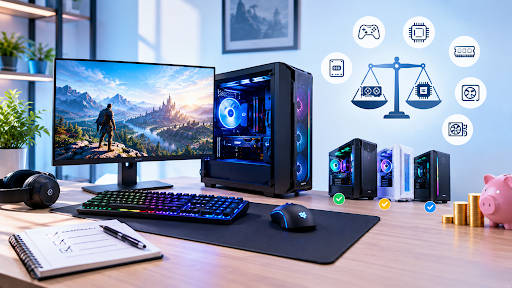
Buying a gaming pc is one of those purchases where it’s easy to either overspend or underspend, and both mistakes cost you in different ways. Overspend and you’re paying for headroom you’ll never use. Underspend and you’ll be upgrading again within a year, annoyed at yourself for not just doing it properly the first time. There’s a middle ground, and getting there just takes knowing what to actually pay attention to.
Work out what you’re playing, not what looks impressive
This is the bit people skip. They see a listing with big numbers and assume bigger means better, without stopping to ask whether their games actually need that much power. If you’re mostly playing competitive titles like Valorant or CS2, you genuinely don’t need the top-tier GPU. A mid-range card paired with a fast processor will serve you better.
If you’re into demanding open world games, that changes things. Be honest with yourself about what you’ll actually play most of the time, not what you might play occasionally. Buying around your real habits saves money you can put toward something that matters more, like a decent monitor.
GPU and CPU need to be balanced, not just powerful
A common trap is pairing an expensive graphics card with a weak processor, or the other way round. One holds the other back, and you end up not getting the performance either component is actually capable of. This is called bottlenecking, and it happens more often than you’d think, especially in pre-configured listings that lean on one flashy spec to sell the whole package.
Look up how the specific CPU and GPU pairing performs together before you commit. A few minutes of research here saves a lot of disappointment later. Reviewers and forums usually have real benchmark comparisons for popular combinations, which tells you a lot more than trusting a listing’s marketing copy.
RAM and storage are easy to get wrong
16GB is still a sensible starting point for many gaming PCs, while 32GB can make more sense if you stream, multitask heavily or play particularly demanding titles. Going below that to save a bit of money tends to backfire, especially if you like keeping Discord and a browser open while you play.
For a modern gaming PC, an SSD should be your primary drive. A PC with a traditional hard drive as the main drive will feel slow no matter how strong the GPU is. If the budget’s tight, a smaller SSD paired with a secondary hard drive for less-played games is a reasonable compromise.
Don’t dismiss refurbished options
Buying new isn’t the only route to good performance. A refurbished gaming pc uk retailer sells can actually be one of the smarter value plays, especially if the machine’s been properly tested and comes with a real warranty attached. You’re often getting stronger components for your money than a similarly priced brand new budget build.
The key word there is properly tested. Refurbished doesn’t automatically mean reliable, and quality varies a lot between sellers. Ask what testing process the PC’s gone through, what condition rating it’s been given, and how long the warranty runs. If a seller can’t answer these clearly, that tells you something on its own.
Check the small print on warranty and support
This gets overlooked constantly, and it shouldn’t. Find out exactly what’s covered, for how long, and whether it includes labour or just parts. Some retailers offer a decent warranty on paper but make it a nightmare to actually claim on.
A UK-based phone line you can actually call matters more than people realise until they need it. Email-only support can leave you stuck for days while your PC sits there unusable.
Watch for hidden costs at checkout
The advertised price rarely tells the whole story. Extra storage, RAM upgrades, or a better GPU tier can all push the total up well beyond what the headline price suggested. A transparent retailer shows you the real total before you commit, not halfway through a multi-step checkout that keeps adding extras.
It’s worth comparing a couple of listings side by side rather than judging one in isolation. What looks like the cheapest option upfront sometimes ends up the priciest once you’ve added what you actually need.
Delivery timing is worth a mention too. If you need the PC quickly, check the actual dispatch cutoff rather than assuming “fast delivery” means what you think it does. Some retailers use that phrase loosely, and it can mean anywhere from next day to a week or more depending on stock levels.
Make the Buying Decision With Confidence
Getting good value from a gaming PC isn’t about finding the cheapest listing or chasing the biggest numbers on a spec sheet. It’s about matching the build to what you’ll actually use it for and asking the right questions before you hand over your money.
If you’re comparing prebuilt options, Veno Scorp is one UK retailer worth considering alongside other sellers. Its systems are assembled and tested in-house, which is useful to know when you’re comparing ready-built machines with refurbished alternatives. The same checks still apply either way: look at the actual components, warranty, total price and level of support before making a decision.
Frequently Asked Questions
Q1. Is it better to buy prebuilt or build a gaming PC myself?
Ans. Building it yourself can save money if you already know what you’re doing. For most people, though, a prebuilt from a retailer that tests before shipping is the safer, less stressful route.
Q2. How much should I actually budget for a decent gaming PC?
Ans. It really depends on what you play. Competitive titles can run well on a modest budget. Chasing the latest AAA releases at high settings needs a fair bit more.
Q3. Are refurbished gaming PCs actually reliable?
Ans. Genuinely, yes, if bought from a proper retailer that tests and grades them. It’s the sellers skipping that process you need to be wary of, not refurbished PCs as a category.
Q4. What’s the biggest mistake buyers make?
Ans. Focusing on one impressive spec and ignoring the rest of the system. A great GPU paired with a weak CPU or slow storage won’t give you the performance the listing implies.
Q5. Should I prioritise storage or RAM if I have to choose?
Ans. Storage, usually, since an SSD affects everything you do on the PC, not just gaming. RAM matters too, but 16GB tends to be enough for most people right now.